
Comparisons
Shopify MCP vs Storefront MCP: Which One Does Your Team Need?
Date
May 21, 2026
Author
Igor Cerjan
Storefront MCP is for shopper-facing AI experiences. Admin/Dev MCP is for developers working on a single Shopify store. Operator-layer MCP servers like ShopMCP are for the people running multiple stores who need cross-platform unified data. Three different jobs; three different tools; one phrase that conflates all three.
This is the disambiguation piece. If you've been reading "Shopify MCP" articles and feeling like everyone is talking past each other, you're not wrong — they probably are. By the end of this post, you'll know which one you need.
TL;DR — pick by what you're trying to build
If you don't want to read further, here's the 60-second decision tree:
- You're shipping a feature your shoppers will see — chat assistant on your storefront, AI search, conversational commerce. → Shopify Storefront MCP.
- You're a developer working on one Shopify store and you want Cursor or Claude Code to help with code or one-off API queries. → Shopify Dev/Admin MCP (official, or the OSS `geli2001/shopify-mcp` repo).
- You're an operator or agency running multiple stores, or you need Shopify data alongside Klaviyo / GA4 / Google Ads / GSC / Stripe / GMC in the same prompt. → Operator-layer MCP like ShopMCP.
The rest of this post is the long form: what each one actually is, how they differ on the dimensions that matter, and five real scenarios mapped to the right pick.
Shopify Storefront MCP — what it actually is
Shopify's Storefront MCP is an official MCP server built around the Shopify Storefront API. The Storefront API is what powers your headless commerce frontend, your mobile app, your conversational commerce experiences — anything that needs to read and act on the catalog from a shopper's perspective.
Storefront MCP gives an AI assistant tools to:
- Search products, browse collections, look up product details
- Check inventory availability
- Build carts, apply discount codes, initiate checkout
- Surface recommendations
Crucially, Storefront MCP does not expose orders (other than the shopper's own), customer profiles, fulfillment operations, or admin-only data. That's by design — Storefront API permissions are scoped to what a shopper should be able to do or see.
Who uses it: product teams shipping AI-powered shopper experiences. Brands building chat assistants, search-with-natural-language, "shop the look" features. Platforms wrapping Shopify storefronts with conversational layers.
Who shouldn't use it: anyone running ops. The data scope is wrong.
Shopify Admin / Dev MCP — what it actually is
Shopify's Dev MCP (and the open-source equivalents like `geli2001/shopify-mcp`) wraps the GraphQL Admin API — the same one your Shopify admin UI uses — for AI consumption.
Admin MCP gives an AI assistant tools to:
- Query orders, customers, fulfillments, payouts, refunds
- Query and modify products, variants, inventory levels
- Create and manage draft orders, discount codes, gift cards
- Hit any endpoint of the Admin GraphQL API as a power tool
Who uses it: developers. You're writing a Shopify app, debugging an integration, exploring the API for a one-off project. You want Cursor or Claude Code to help you write GraphQL queries against your store as you iterate.
Who shouldn't use it (much, beyond the obvious): operators running multiple stores. Two real reasons:
- Auth-per-store doesn't scale. Admin MCP authenticates with a per-store private app token or developer credentials. Switching context between stores means changing the active token, which means restarting your AI client. Agencies in our closed beta consistently report this becomes painful enough to abandon between three and five client stores; your threshold may differ but the pattern is reliable.
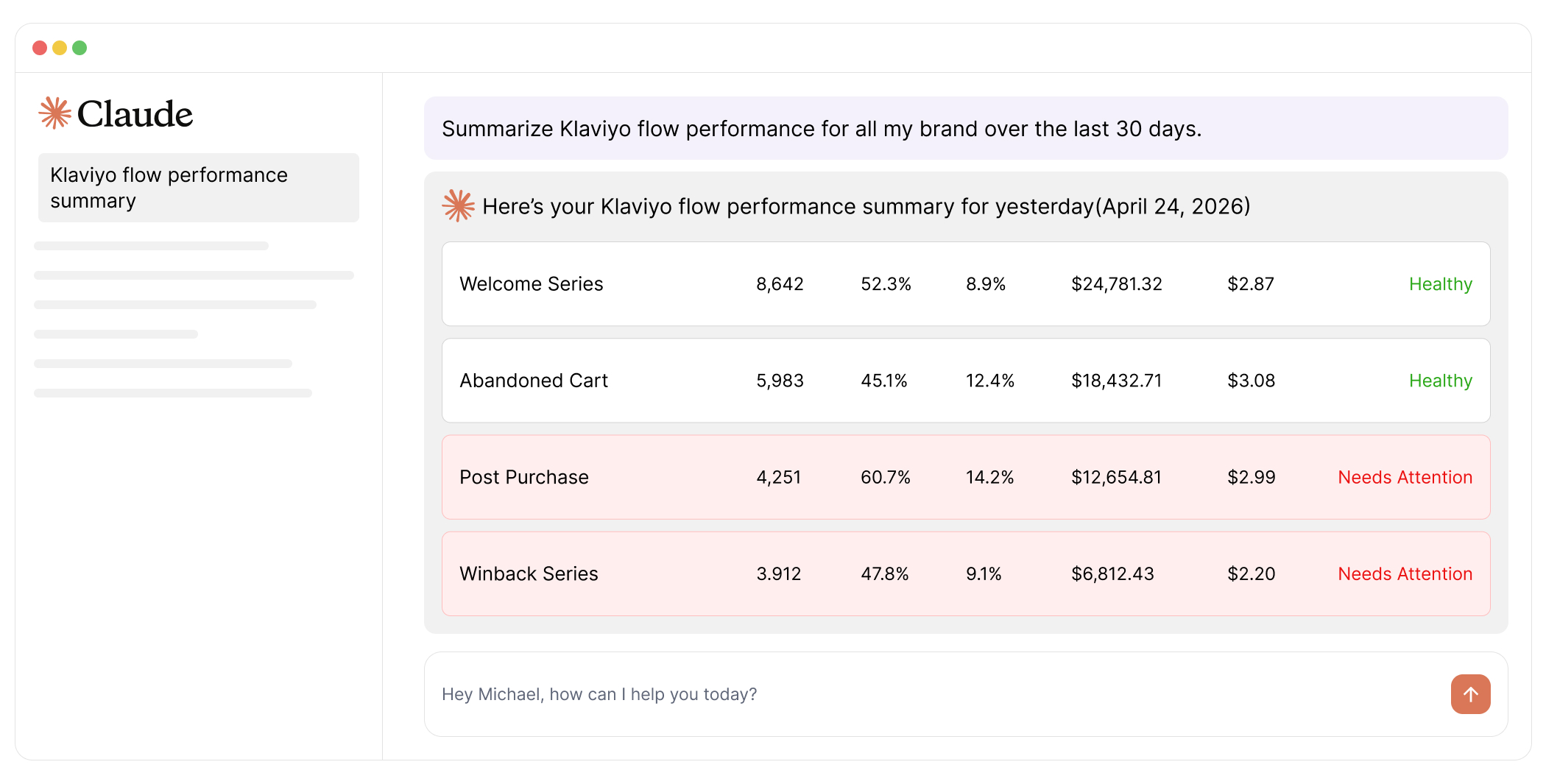
- It only knows about Shopify. The operator's job is cross-platform. A typical Monday-morning prompt — "yesterday's revenue, top sellers, Klaviyo flow performance, Google Ads spend" — touches four platforms. Admin MCP can answer one quarter of that.
There's nothing wrong with Admin MCP. It's just the right tool for a different job.
Operator-layer MCP (ShopMCP) — what it actually is
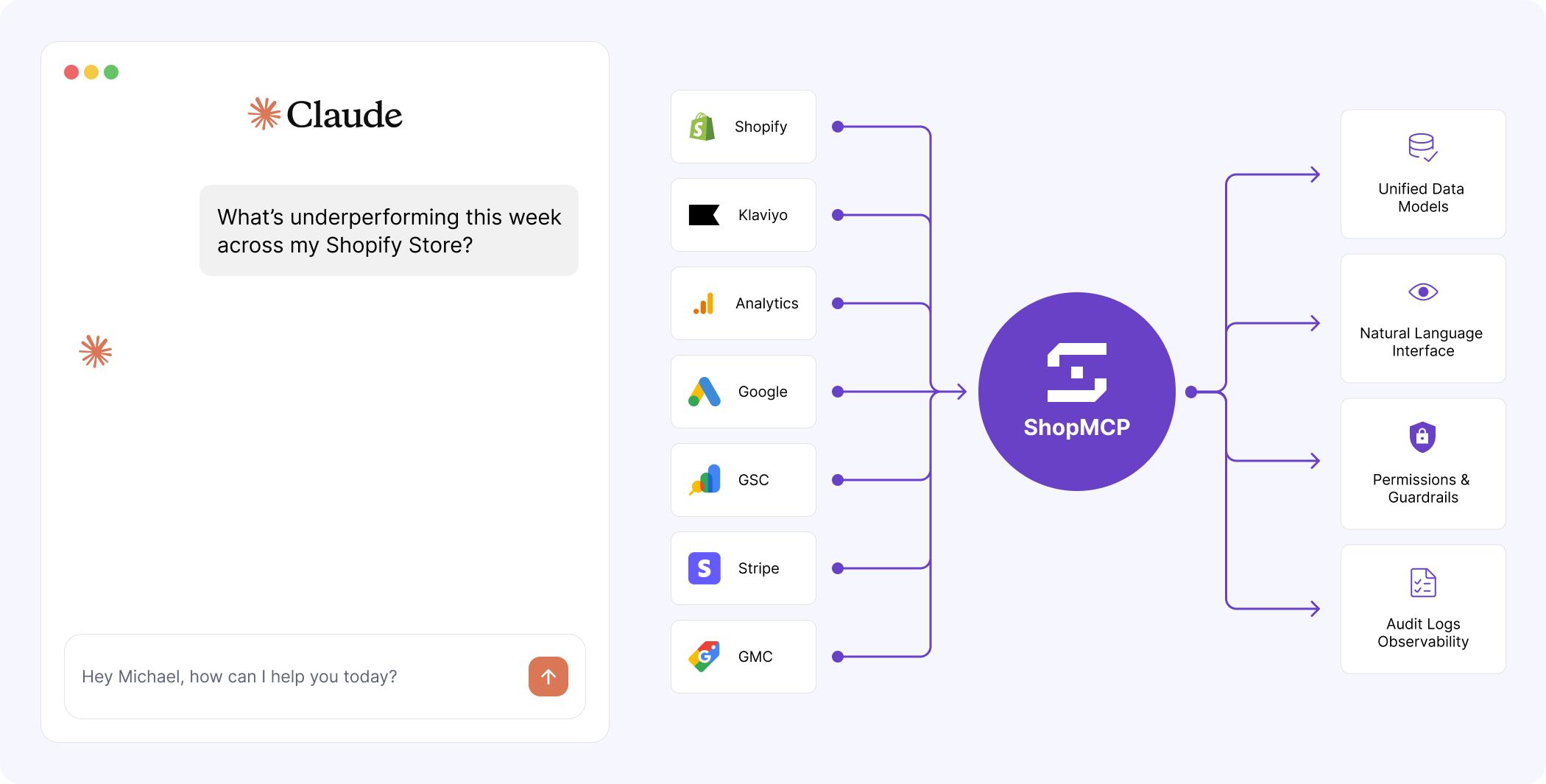
An operator-layer MCP server sits at a higher abstraction. Instead of being a thin wrapper over one Shopify API, it's a hosted, multi-tenant service that bundles Shopify with the rest of the platforms an operator actually uses.
ShopMCP, specifically, gives an AI assistant tools across:
- Shopify (Admin + relevant Storefront reads)
- Klaviyo (lists, segments, flows, campaigns, performance)
- Google Analytics 4 (reports, audiences, custom dimensions)
- Google Ads (campaigns, ads, search-term reports, wasted-spend detection)
- Google Search Console (queries, pages, performance, anomalies)
- Stripe (payments, subscriptions, refunds, payouts)
- Google Merchant Center (product issues, price competitiveness)
- WooCommerce, Neto, and a handful of other ecommerce platforms
Who uses it: agency operators running 5-30 client stores. In-house ecom ops at $5-50M ARR DTC brands with sprawling stacks. Technical solo founders who want the daily-ops friction to disappear.
What you give up: none of the above platforms is as deeply controllable as a dedicated dev-MCP for that platform alone. ShopMCP exposes the operator-shaped tools (audits, dashboards, recovery loops), not the entire raw API surface of every platform. If you need to write custom GraphQL against the Shopify Admin API at the schema level, you want Dev MCP, not ShopMCP.
Side-by-side
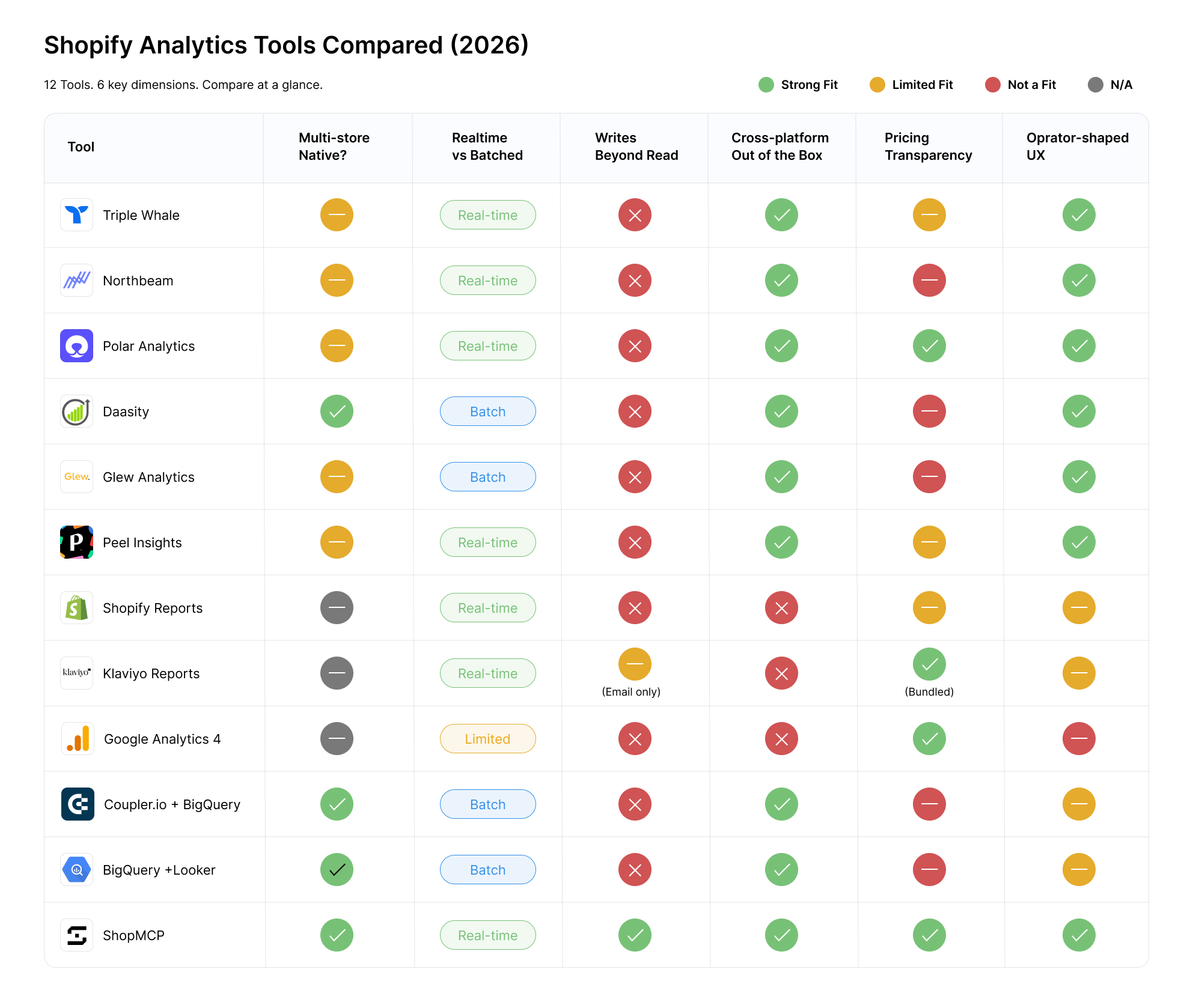
| Shopify Storefront MCP | Shopify Dev / Admin MCP | Operator-layer MCP (ShopMCP) | |
| Built for | Shopper-facing AI features | Developers, single-store work | Operators / agencies, multi-store and multi-platform |
| Data scope | Public catalog, cart, checkout | Shopify Admin API (full surface) | Shopify + Klaviyo + GA4 + Google Ads + GSC + Stripe + GMC + more |
| Reads | ✓ shopper-scoped | ✓ admin-scoped | ✓ admin + cross-platform |
| Writes | Carts, checkouts | Products, inventory, draft orders, discounts | Same + cross-platform writes (e.g. Klaviyo segment edits) |
| Multi-store | n/a per shopper context | One at a time | First-class workspace switching |
| Auth | Storefront access tokens | Per-developer Admin token | Platform-native auth per workspace and store |
| Hosting | Shopify-hosted | Self-host or vendor | Hosted by ShopMCP |
| Cost | Free | Free (official) / OSS / dev-tool pricing | Paid (free trial) |
| Primary intent | Build shopper experiences | Write Shopify code | Run the business |
Five scenarios — which MCP wins
Scenario 1 — Customer-facing chat
You're a DTC brand. You want a chat widget on your storefront where shoppers can ask "do you have this in size medium and what's the return policy?" and get accurate answers from the catalog.
→ Storefront MCP. It's literally what it's for. Don't even consider the alternatives.
Scenario 2 — Solo developer iterating on one store
You own one Shopify store. You're building a custom integration. You want Cursor to help you write GraphQL queries and debug API responses as you code.
→ Shopify Dev / Admin MCP (official) or one of the OSS variants. Single-store dev work is where this shines.
Scenario 3 — Agency running 10 client stores
You run senior ops at a Shopify agency. Every Monday you assemble a status update across ten client stores. Every Friday you bill clients based on hours saved. Single-store tools become friction the moment you cross client three.
→ Operator-layer MCP (ShopMCP). Workspace switching, hosted auth, and cross-platform tools (Klaviyo, ads, GA4) eliminate the dashboard-juggling that single-store tools can't.
Scenario 4 — DTC ops lead unifying Shopify + Klaviyo + GA4
You're head of ecom at a $20M brand. Your stack is Shopify + Klaviyo + Google Ads + GA4 + Triple Whale + a Google Sheet that pretends to summarize all of them. You want an AI assistant that can answer the CEO's "why are we down this week?" across all of them.
→ Operator-layer MCP (ShopMCP). A single-platform MCP can't answer cross-platform questions. The unified data scope is the whole point.
Scenario 5 — Building an OSS Shopify integration
You're shipping an open-source tool that needs to read and write a Shopify store programmatically. You want simple, well-understood building blocks.
→ OSS Shopify MCP repo (e.g. `geli2001/shopify-mcp`). You can fork it, audit it, ship it. Operator-layer servers are the wrong abstraction for OSS integrations.
Can you use more than one?
Yes. The MCP protocol supports multiple servers connected to the same client simultaneously, and they don't conflict.
A common pattern for serious teams:
- ShopMCP for daily operator work — multi-store reporting, cross-platform queries, the morning ritual.
- Dev MCP for code work — Cursor or Claude Code with a developer's private app token, scoped to a development store.
- Storefront MCP if you're also shipping a customer-facing feature — wired into your storefront frontend, separate from internal tools.
Most operators only need ShopMCP. But there's no penalty for running more than one when the jobs are genuinely different.
What's next
If you've decided you want operator-layer MCP, the Connect Claude to your Shopify store tutorial is the 10-minute install path. If you want the deeper architecture, see How a Shopify MCP server works. For the broader category framing, the keystone guide is home base.
Frequently asked questions
What is the difference between Shopify Storefront MCP and Admin MCP? Storefront MCP exposes Shopify's public catalog and search APIs to AI assistants for shopper-facing experiences. Admin MCP exposes the GraphQL Admin API (orders, customers, inventory) to developer-facing AI clients. They serve different audiences and expose different data scopes.
Should I use Shopify's official MCP server or ShopMCP? Shopify's official Storefront MCP is right for shopper-facing experiences. Shopify's Dev MCP is right for single-store developer work. ShopMCP is right for operators and agencies running multiple stores who need Shopify plus the rest of the ecommerce operating stack unified behind one MCP endpoint.
Can I use Storefront MCP and Admin MCP at the same time? Yes. They serve different jobs and don't conflict. A team building a shopper-facing chat experience and an internal ops workflow might run both — Storefront MCP powering the customer feature, ShopMCP or Admin MCP powering the internal team.
Which MCP server does an agency need? An operator-layer MCP server like ShopMCP. Agency workflows are inherently multi-tenant (multiple client stores) and cross-platform (Shopify plus Klaviyo, ads, analytics). Single-store-per-token developer MCPs become painful by the third client; storefront MCP is the wrong abstraction entirely.
More Articles
Your coffee's still warm. Your Monday review is done.
Connect one platform in 5 minutes. Run your first playbook before the kettle boils.


2026 Copyright © ShopMCP. All rights reserved. A Perceptiv Digital initiative.