
ChatGPT
Connect Shopify to ChatGPT in 10 Minutes (Without Coding)
Date
May 28, 2026
Author
Igor Cerjan
You can connect ChatGPT to your Shopify store in three steps and about ten minutes — no coding required: add Shopify to ShopMCP with a Dev Dashboard app, add ShopMCP as a ChatGPT connector, then run your first prompt. This is the no-code path for ChatGPT users who want to query and edit their store from inside the AI conversation.
If you already use Claude instead of ChatGPT, follow the Connect Claude to Shopify tutorial — same idea, slightly different config screen.
Before you start
You'll need:
- A ChatGPT plan that supports MCP connectors. As of 2026, that's Plus, Pro, Team, or Enterprise. The free tier doesn't currently expose MCP. Check your settings — if you see "Connectors" in your account, you're good.
- Shopify organization/admin access to create a Dev Dashboard app, release a version, install it on the store, and copy the app's Client ID and Secret.
- A ShopMCP account. Free trial — sign up at shop-mcp.app.
Step 1: Sign up for ShopMCP and connect Shopify (5 min)
Create your ShopMCP account, confirm your email, and you'll land on the dashboard. Click Connect your first store.
ShopMCP asks for the store's canonical `*.myshopify.com` domain plus a Shopify Dev Dashboard app's Client ID and Secret. In Shopify, create the app, add the required Admin API read scopes, release a version, install it on the store, then copy the credentials from the app's Settings page.
- Read products, orders, customers, inventory, fulfillments
- Optional write scopes for product updates, inventory adjustments, draft orders, discount codes, metaobjects, B2B, Markets, publishing, and Shopify Flow
These are scoped. ShopMCP exchanges the Client ID and Secret for short-lived Admin API tokens and stores credentials encrypted. Writes stay off until you enable the ShopMCP Write tools toggle for Shopify.
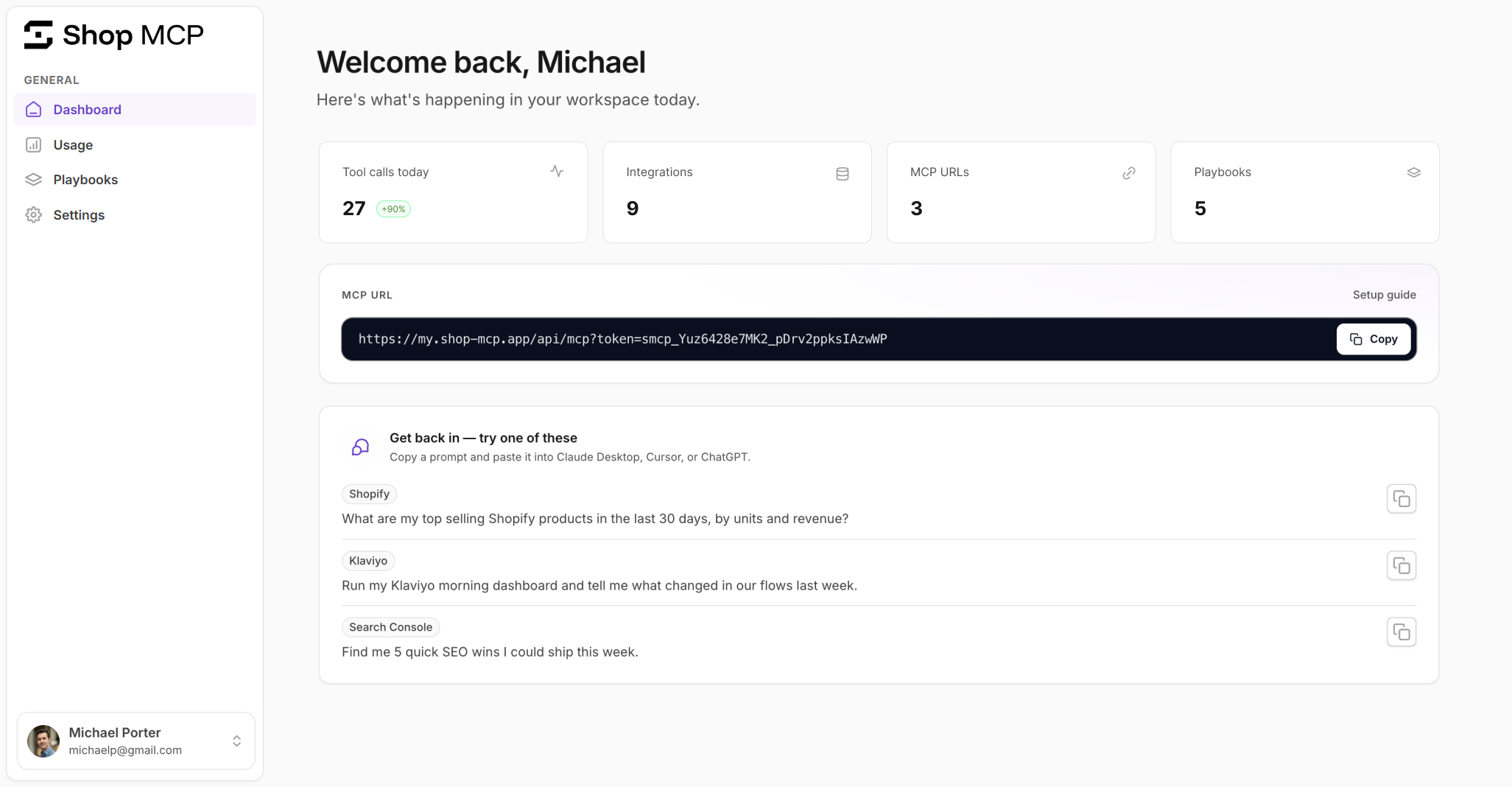
After verification, your dashboard shows the store with a green status indicator, a primary-store selector, and a refresh-permissions action. Don't share the Client ID, Secret, or ShopMCP API key — they're credentials.
Step 2: Add ShopMCP as a connector in ChatGPT (3 min)
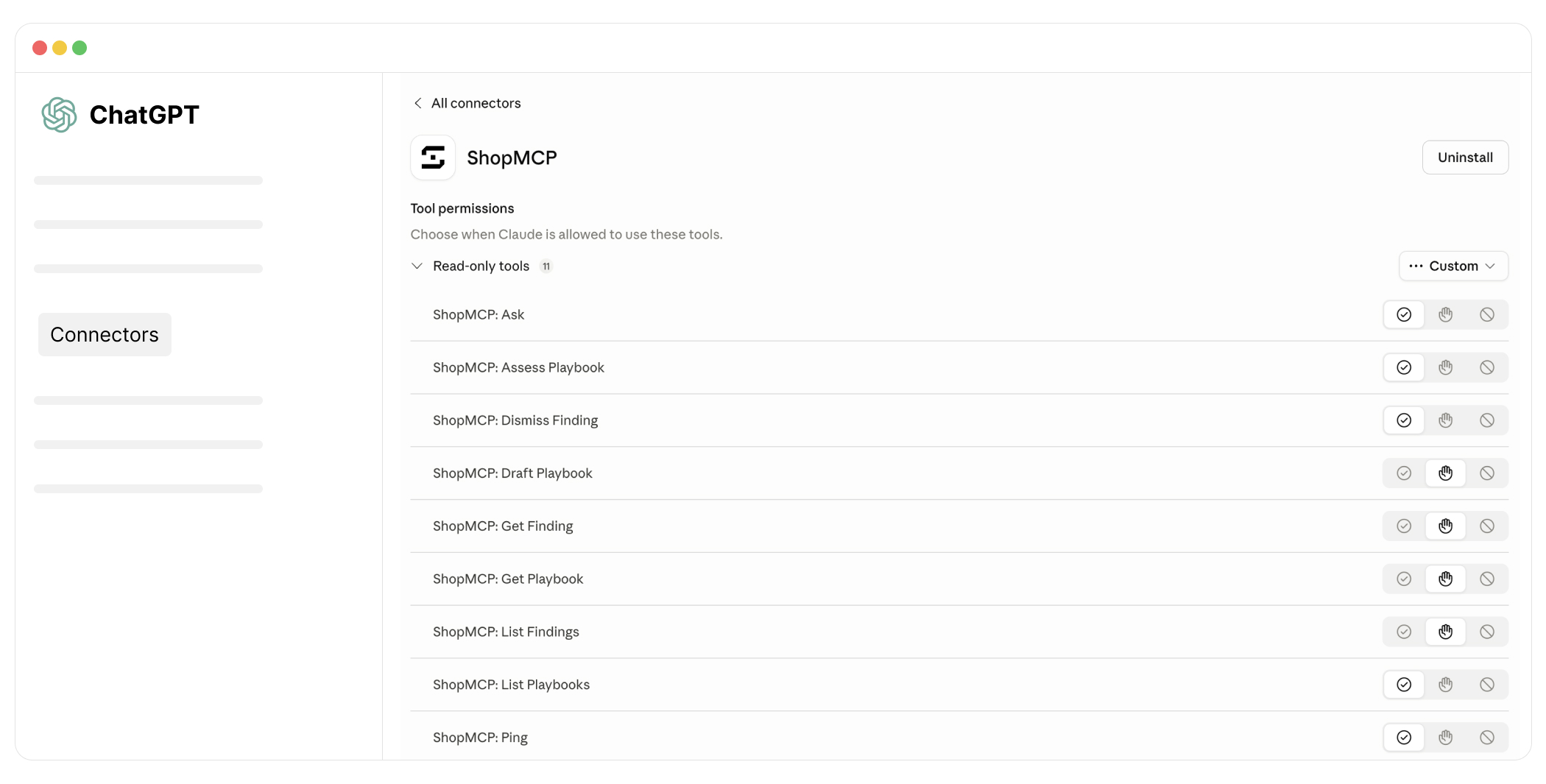
Open ChatGPT in your browser. From the left sidebar, click your profile → Settings → Connectors.
Click Add custom connector. Use:
ChatGPT validates the connector, runs the MCP handshake, and shows you the available tools. In each new conversation, enable the ShopMCP connector from the input/tool controls before asking store-data questions.
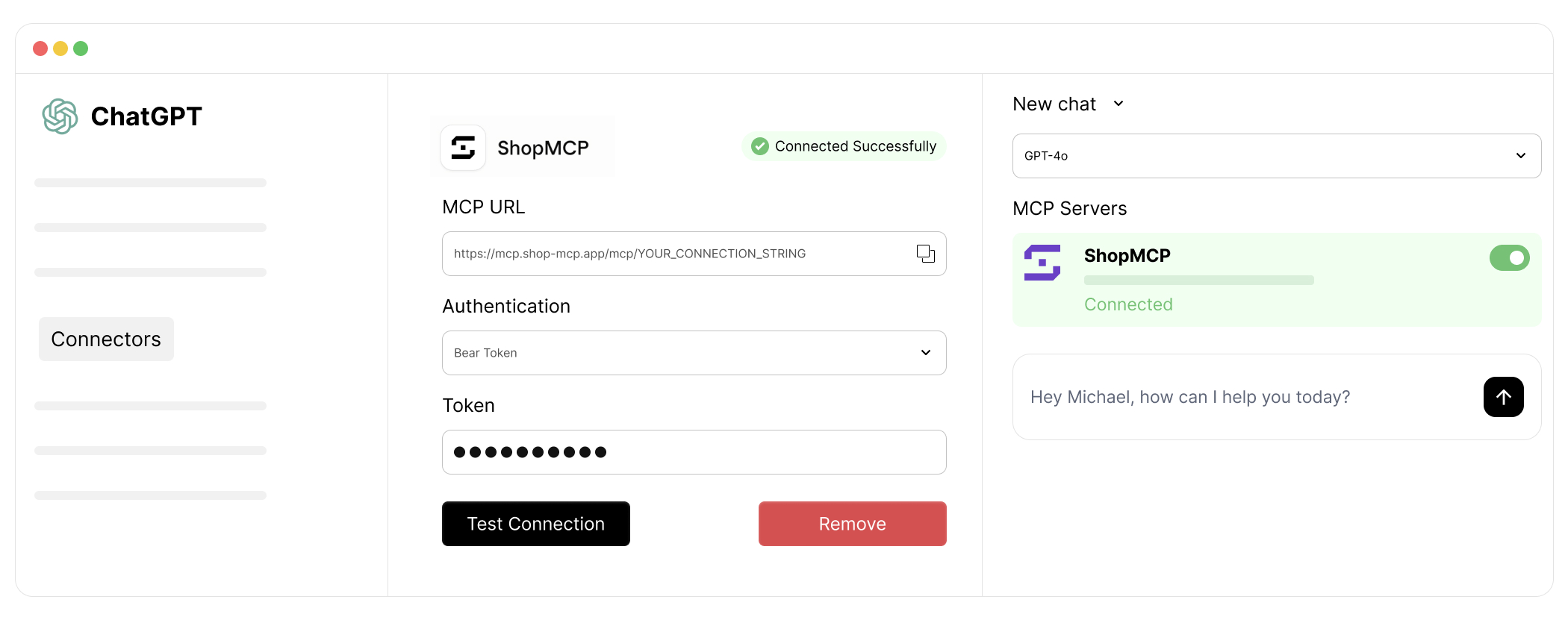
That's it for the install. ChatGPT doesn't need a restart — the connector becomes available in your next conversation immediately.
Step 3: Run your first three prompts (1 min)
Start a new ChatGPT conversation. Try these in order — read-only, low risk, and they cover the patterns you'll use most.
Prompt 1 — yesterday's revenue across stores
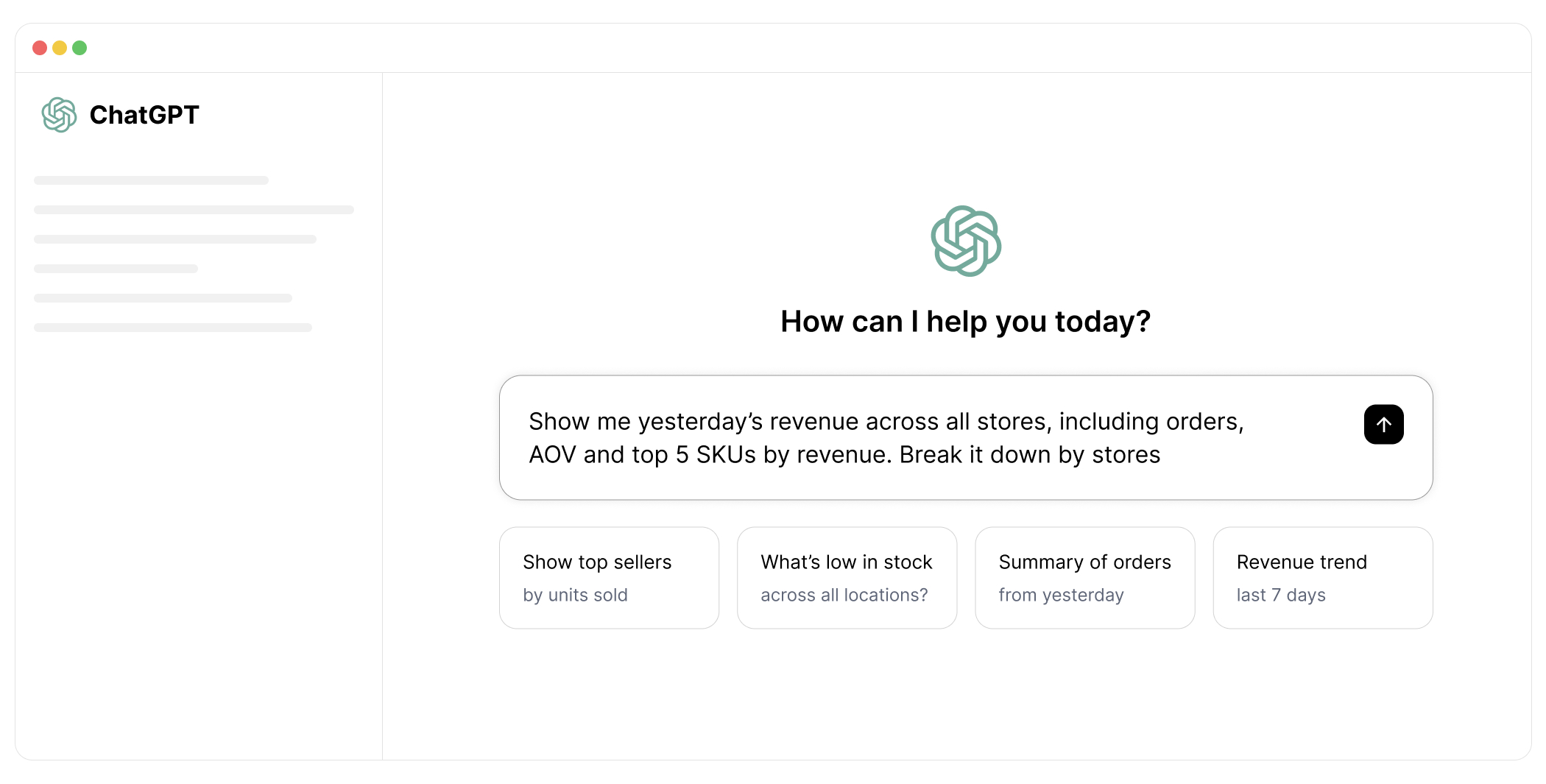
Using my ShopMCP connection, what was yesterday's revenue across my Shopify store(s)? Break it down by store if I have multiple. Include orders, AOV, and the top three SKUs by revenue.
ChatGPT routes this through ShopMCP's Shopify order and product tools and returns a structured summary. You can ask follow-ups in plain English.
Prompt 2 — top sellers this month
For my main Shopify store, list the top 10 products by revenue this calendar month. Show units sold, revenue, and average days-of-stock at current velocity.
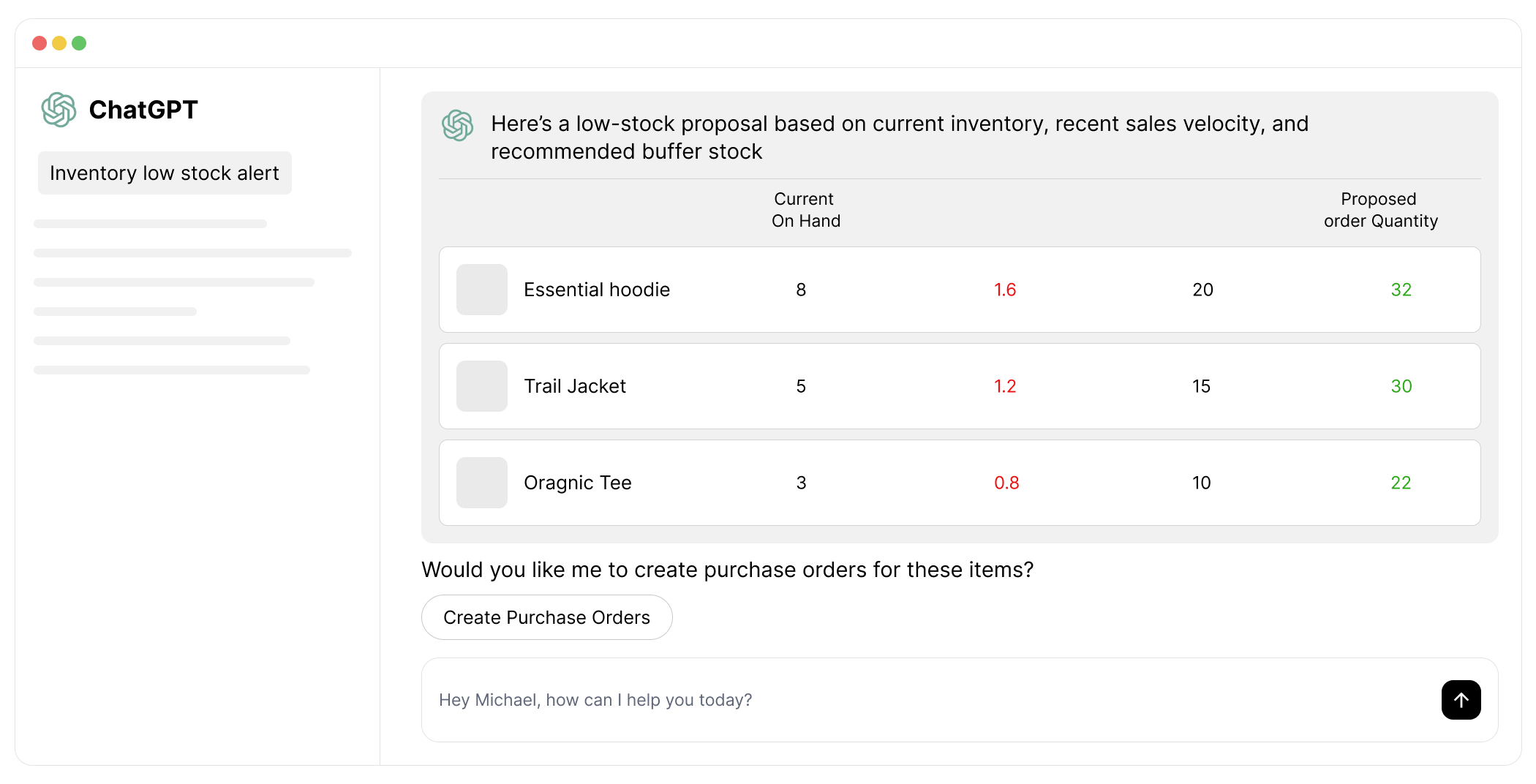
Prompt 3 — low-stock list (proposal only)
Find SKUs with under 14 days of stock at current velocity. Propose how many units to order to reach 60 days. Don't make any changes yet — just show me the proposal.
When you're satisfied with the proposal, follow up with "Apply those inventory adjustments" and ChatGPT will request explicit confirmation before writing.
The proposal-first pattern is worth internalizing as a habit: any prompt that would change something — inventory, prices, segments, draft orders, discount codes — ask for the proposal first, review it, then approve. ShopMCP's confirmation flow protects you against accidents but the operator habit of "look before you act" is what keeps you trusting the workflow over time. Operators who skip the review step typically rebuild it within a week after the first surprised look at what got changed.
Why this path beats waiting for Shopify's official ChatGPT integration
Shopify and OpenAI continue to ship features together. Some of those are aimed at shoppers (in-ChatGPT product discovery, conversational shopping). Different problem from yours. If you're an operator wanting your tool stack to answer ops questions, Shopify-as-merchant integrations don't address it.
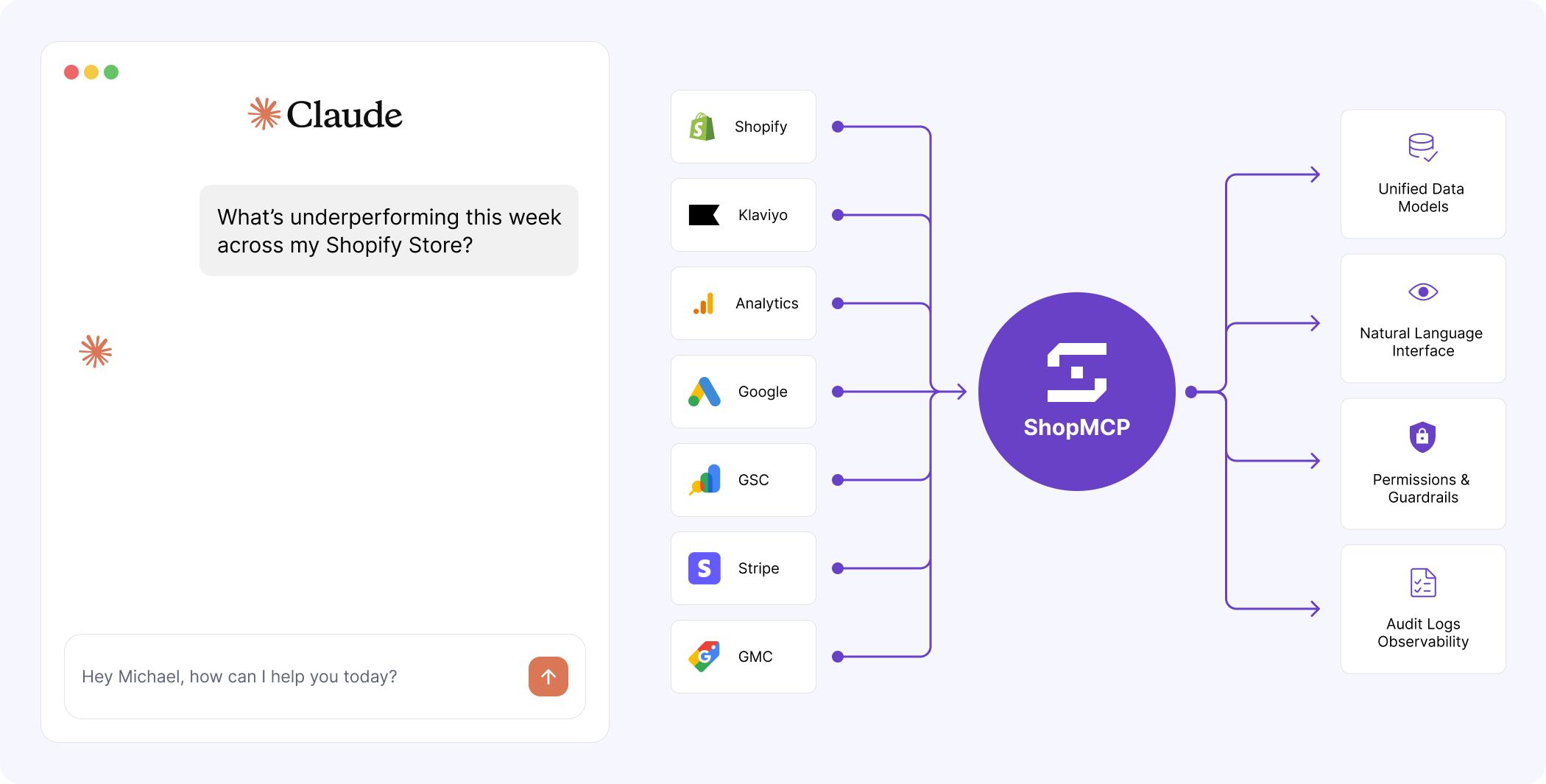
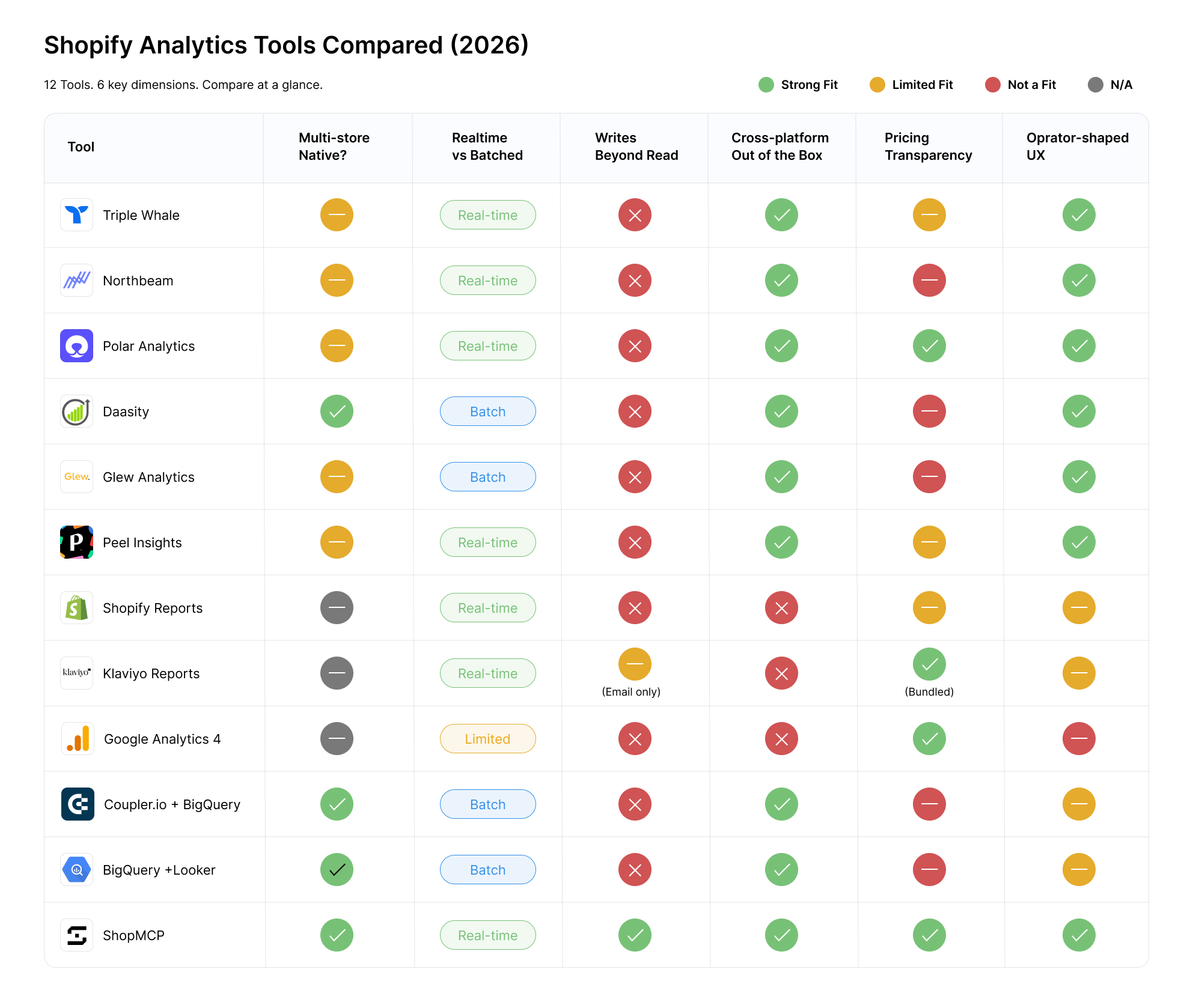
ShopMCP solves the operator problem in a way that's vendor-neutral. The same ShopMCP install works in ChatGPT, Claude, Cursor, or any other MCP-compatible client. If you switch AI clients next year — or if your team standardizes on Claude for some workflows and ChatGPT for others — you don't switch your data layer. That portability matters: AI clients are the layer of the stack moving fastest right now, and any data-access tooling that locks you into one client is a future migration cost waiting to happen.
It also bundles platforms beyond Shopify. The moment you want "yesterday's revenue correlated with my Klaviyo flows and Google Ads spend changes" in one prompt, you need cross-platform tooling — and ChatGPT-direct or Shopify-direct integrations rarely cover the spread. ShopMCP's connector list as of mid-2026 spans storefronts, email/SMS, ads, analytics/SEO, payments, CRM/accounting, social, and ERP/inventory — including Shopify, BigCommerce, Magento, WooCommerce/WordPress, Neto, Klaviyo, Attentive, GA4, GSC, Google Merchant Center, Google Ads, Meta Ads, TikTok Ads, Stripe, Xero, QuickBooks, HubSpot, DataForSEO, Instagram, Cin7 Core, and Unleashed. Each platform uses the right auth model for its API; the AI sees the approved tools in the same conversation.
A third practical advantage worth naming: agency multi-tenancy. If you run multiple Shopify stores — your own brands, client stores, or a portfolio — single-account integrations force you to switch context per store. ShopMCP's workspace model lets you address each client by name ("For client X's Shopify store, ...") inside the same ChatGPT conversation. For solo operators on one store this is invisible; for anyone past two stores it's the entire point.
Common gotchas
"I don't see Connectors in my ChatGPT settings." Your plan may not include MCP. Free-tier ChatGPT does not (as of mid-2026). Plus, Pro, Team, and Enterprise do. Check OpenAI's current plan-feature comparison.
"ChatGPT says it can't reach the MCP server." Re-check the URL is exactly `https://mcp.shop-mcp.app/mcp`, authentication is set to bearer token, and the token starts with `smcp_`. If clean, confirm your ShopMCP subscription/trial is still active in the dashboard.
"The tool calls are slow / timing out." Usually upstream API rate limiting. Retry after 30-60 seconds. If persistent, check the ShopMCP dashboard's status indicator for upstream platform health.
"I want to use this with the ChatGPT mobile app." MCP support in mobile clients tends to lag the web/desktop UI. If your plan exposes MCP on web/desktop but not mobile yet, the connection works on the channels that support it; mobile prompting works once OpenAI ships parity.
What to ask ChatGPT next
The 50 prompts that actually work is the cheat sheet. A few that will earn their keep on day one:
- "Audit my Shopify catalog: products with thin descriptions, missing images, or short titles."
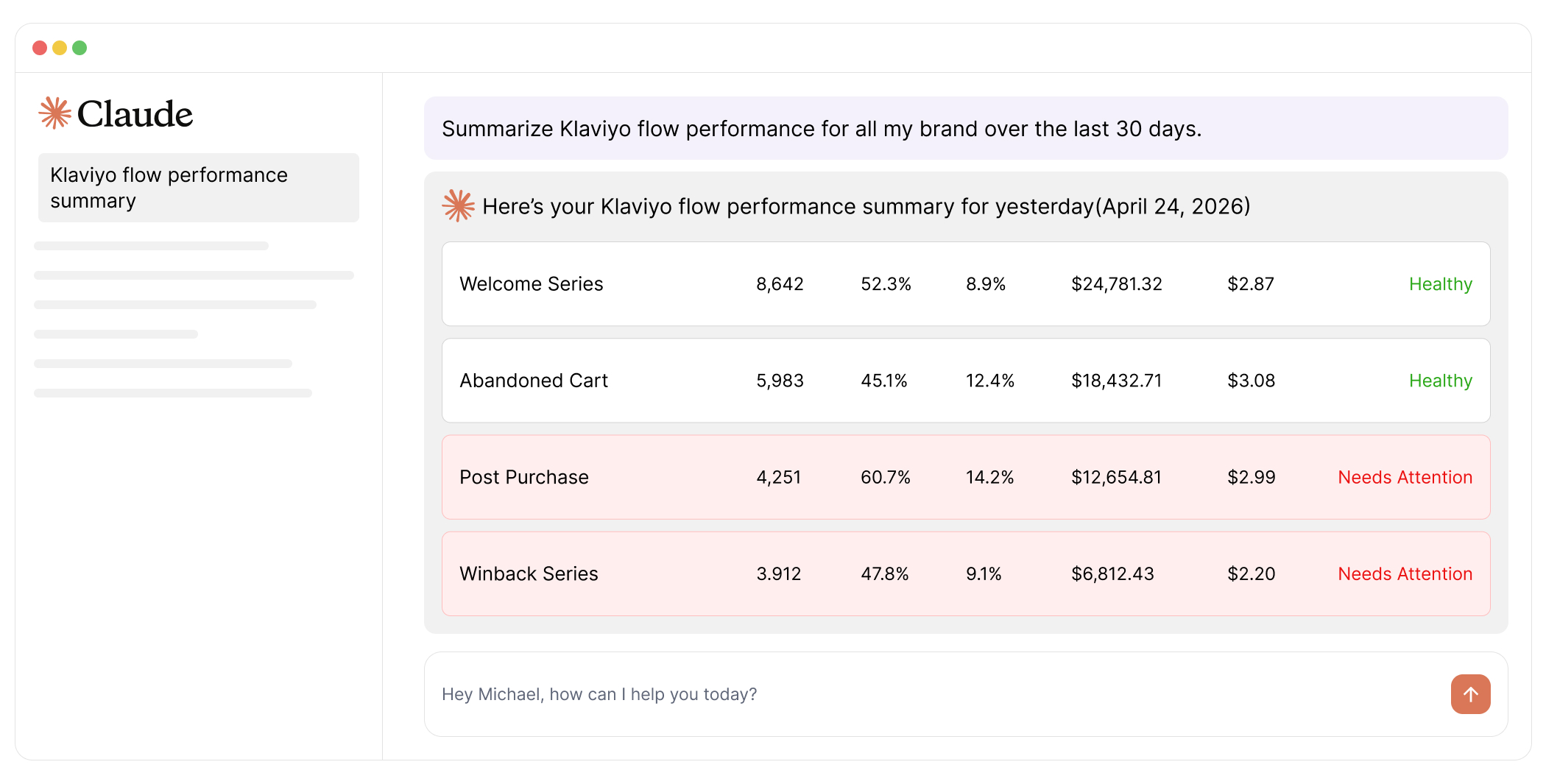
- "Summarize Klaviyo flow performance for {Brand X} last 30 days." (Requires Klaviyo connector — add from your dashboard.)
- "Across my Google Ads accounts, find search terms with > $50 spend and zero conversions." (Requires Google Ads connector.)
The 10-minute morning ecommerce dashboard is the daily ritual most operators end up running.
Try ShopMCP free → · Read the keystone · Why MCP matters for ecommerce
Frequently asked questions
Can ChatGPT access my Shopify store? Yes — through the Model Context Protocol. As of 2026, ChatGPT Plus, Pro, Team, and Enterprise support MCP connectors. Connect ShopMCP, add your Shopify store with Dev Dashboard credentials, and ChatGPT can read and write approved store data via plain-English prompts.
Is the Shopify ChatGPT integration free? ChatGPT itself requires a paid plan that supports MCP servers (Plus from $20/month). ShopMCP offers a free trial; paid plans start where pricing is published. There's no separate per-store fee from Shopify.
What can ChatGPT do with my Shopify store? Read products, orders, customers, inventory, fulfillments, content, discounts, returns, gift cards, B2B, Markets, metaobjects, and more. Write tools cover product, inventory, draft-order, discount, publishing, metaobject, B2B, and Flow actions when Shopify scopes and ShopMCP's Write tools toggle allow them. With additional integrations, the same conversation can answer cross-platform questions.
Should I use ChatGPT or Claude with Shopify? Both work. Claude Desktop has slightly more polished MCP tooling at the time of writing, and tends to handle long structured tool-call sequences with more reliability. ChatGPT has stronger general reasoning and the larger free user base. Pick whichever you already use — the Shopify side is identical.
More Articles
Your coffee's still warm. Your Monday review is done.
Connect one platform in 5 minutes. Run your first playbook before the kettle boils.


2026 Copyright © ShopMCP. All rights reserved. A Perceptiv Digital initiative.