
GA4
GA4 MCP: Ask Claude or ChatGPT About Your Google Analytics Data (2026)
Date
June 25, 2026
Author
Igor Cerjan
A GA4 MCP server connects your Google Analytics 4 property to Claude, ChatGPT, or Cursor through the Model Context Protocol — so you can query traffic, conversions, source/medium attribution, and custom-dimension reports using plain-English prompts instead of clicking through the GA4 UI. Setup is about 10 minutes. The first cross-platform query — joining GA4 with Shopify or Google Ads — typically pays back the install in a single afternoon.
This tutorial assumes you've connected one platform to ShopMCP already (Shopify is the common starting point). If not, follow Connect Claude to your Shopify store first; this becomes the second platform.
What GA4 MCP is (and the Google Analytics MCP variant)
A GA4 MCP server — also called a Google Analytics MCP server in the broader 400-monthly-search parent topic — is a service that exposes the GA4 Data API as MCP tools. Your AI assistant calls those tools, the server authenticates with Google and runs the query, and the structured result comes back for the AI to reason over.
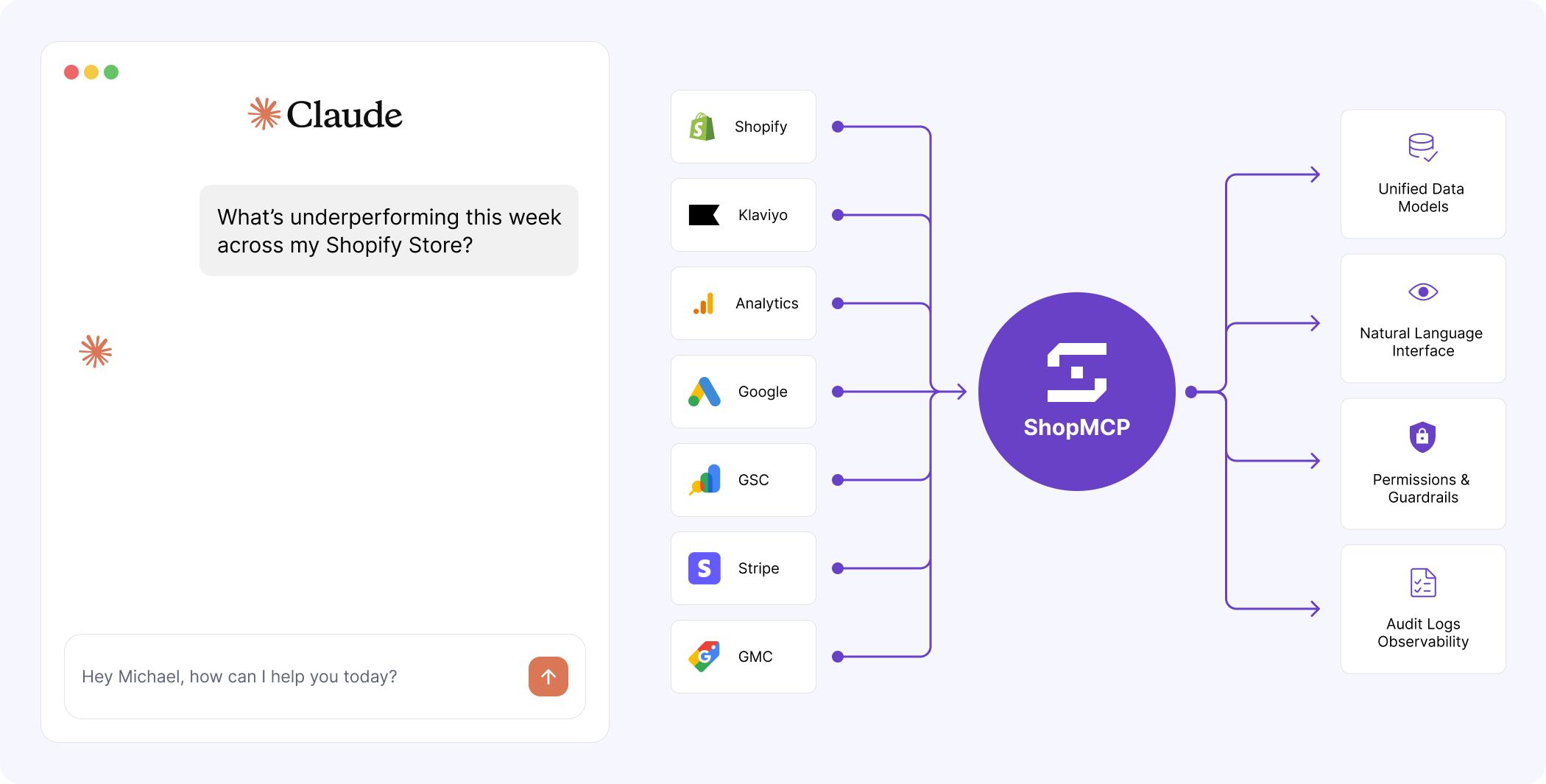
ShopMCP includes a GA4 MCP server in the standard connector set. The advantage over a standalone GA4 MCP repo isn't the GA4 surface (those are functionally similar) — it's the cross-platform reach. Questions like "correlate yesterday's revenue change with my GA4 traffic-source mix and Klaviyo flow performance" require all three platforms in the same conversation; a GA4-only server can't answer them.
For developer single-property exploration, OSS repos on GitHub are perfectly fine. For operator daily work, hosted operator-layer beats it.
Before you start
You'll need:
- GA4 property with admin or editor access. Viewer access can read but not approve OAuth scopes.
- An AI client with MCP support — Claude Desktop, Claude Code, Cursor, or ChatGPT Plus/Pro/Team/Enterprise.
- A ShopMCP account with the GA4 connector enabled.
Step 1: Connect GA4 to ShopMCP (3 min)
In your ShopMCP dashboard, Connections → Add platform → Google Analytics.
ShopMCP redirects to Google's OAuth flow. Sign in with the Google account that has GA4 access; approve the requested scopes (read GA4 reports, dimensions, metrics, custom definitions). If your Google account has access to multiple GA4 properties (typical for agencies), ShopMCP shows the list and lets you select which to expose.
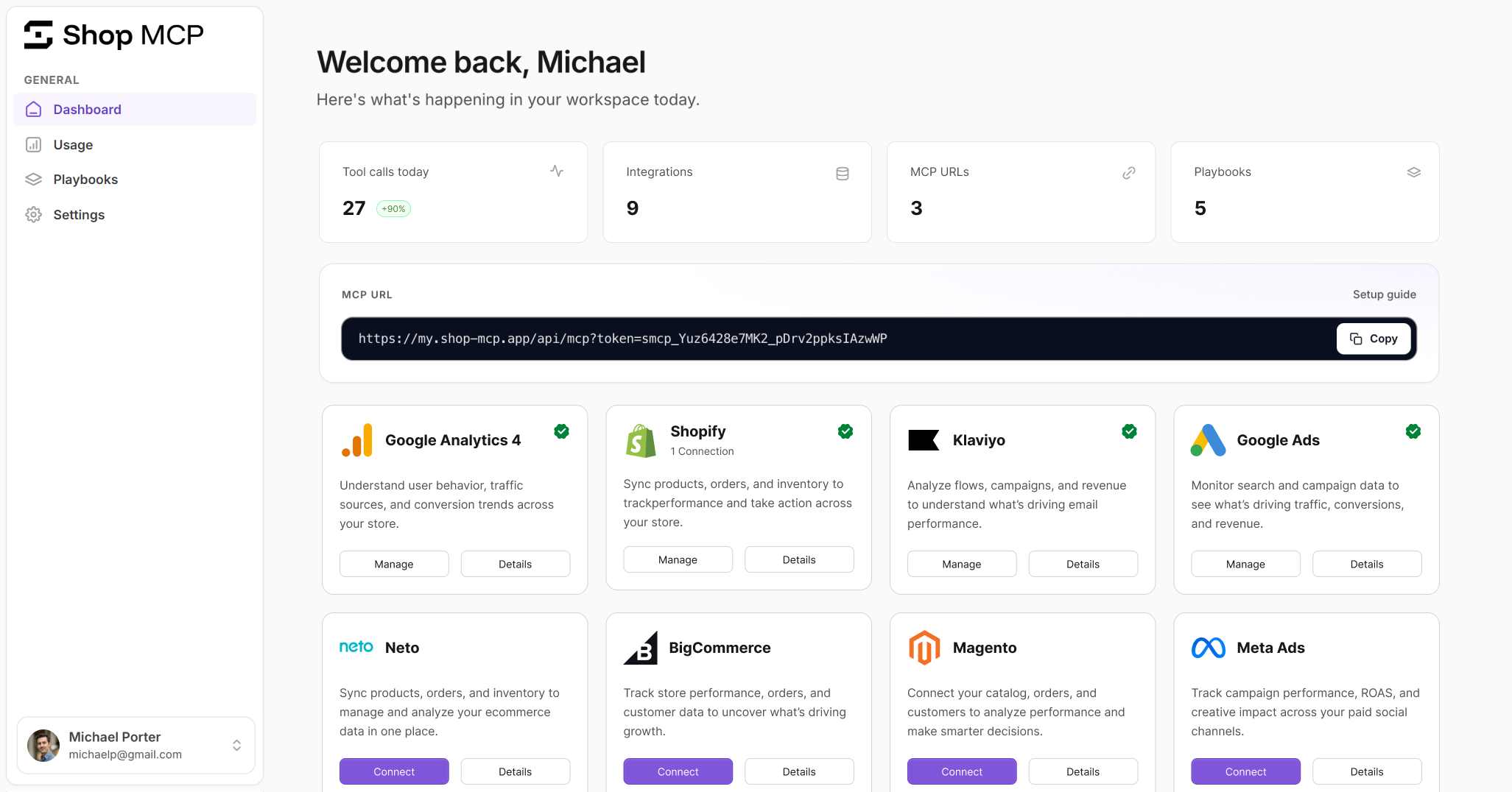
Approve, return to dashboard. GA4 tools become available in your AI client within ~30 seconds.
Step 2: Run your first 5 GA4 queries
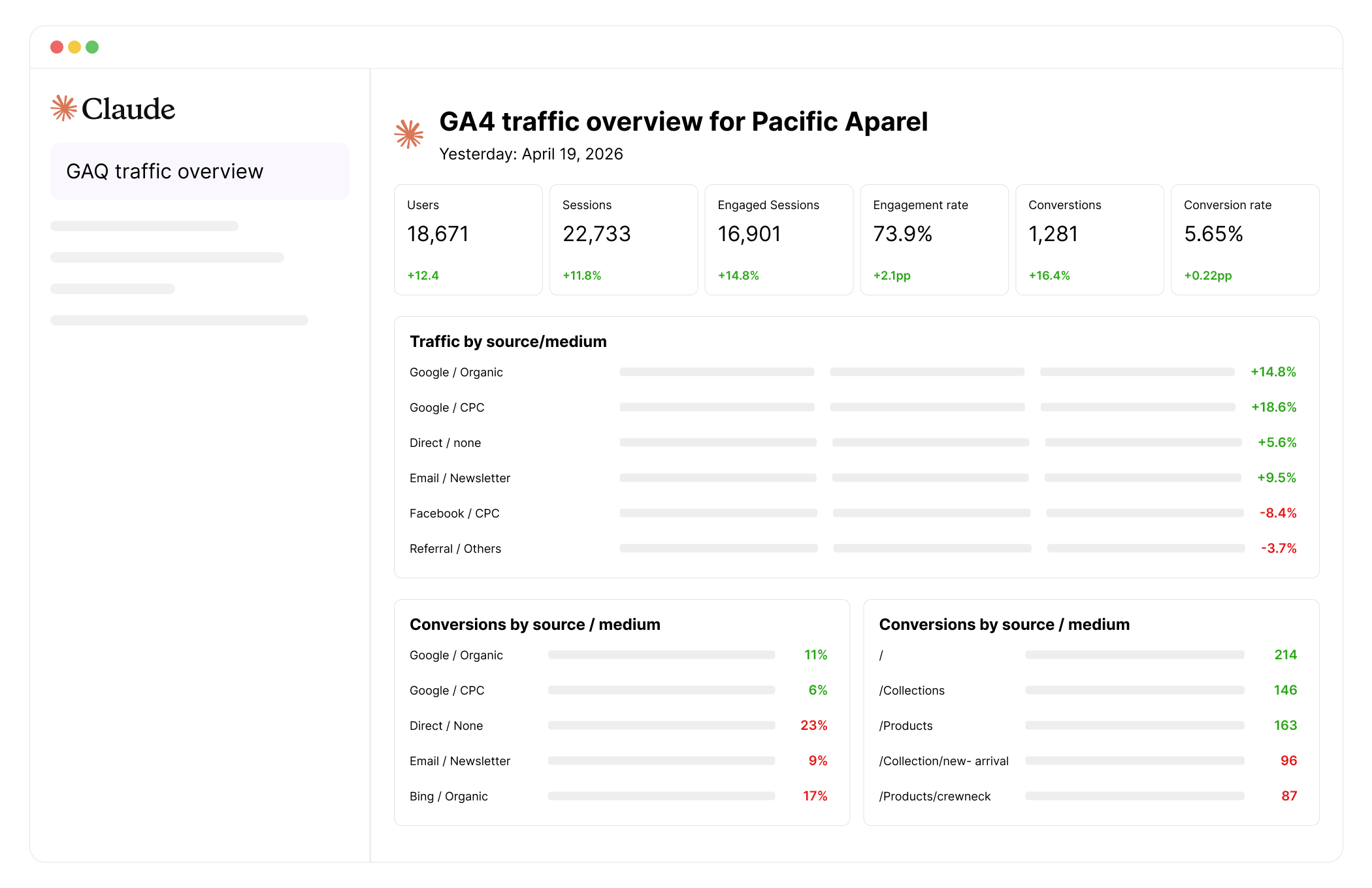
1. Traffic overview last 30 days
For {Brand X}'s GA4 property, summarize last 30 days: sessions, users, new users, engaged sessions, average session duration, conversions, and revenue. Compare to the prior 30 days and flag anything > 25% off.
The workhorse weekly status query.
2. Top pages by revenue
Top 20 pages by revenue for {Brand X} last 30 days. Show page path, sessions, conversion rate, revenue per session, total revenue. Group similar paths (e.g. /products/* SKUs) where applicable.
3. Conversion-funnel diagnostic
For {Brand X}, build a funnel from session → product view → add-to-cart → checkout → purchase. Show conversion rate at each step and where the largest drop-off happens. Compare to the prior 30 days.
4. Source / medium attribution
For {Brand X} last 30 days, show conversions and revenue by source / medium. Flag any source with > 50% week-over-week change. What does GA4 attribution suggest is the most efficient acquisition channel?
Caveat the AI's answer with first-touch vs last-touch context — GA4's default attribution model matters and your team should agree on which.
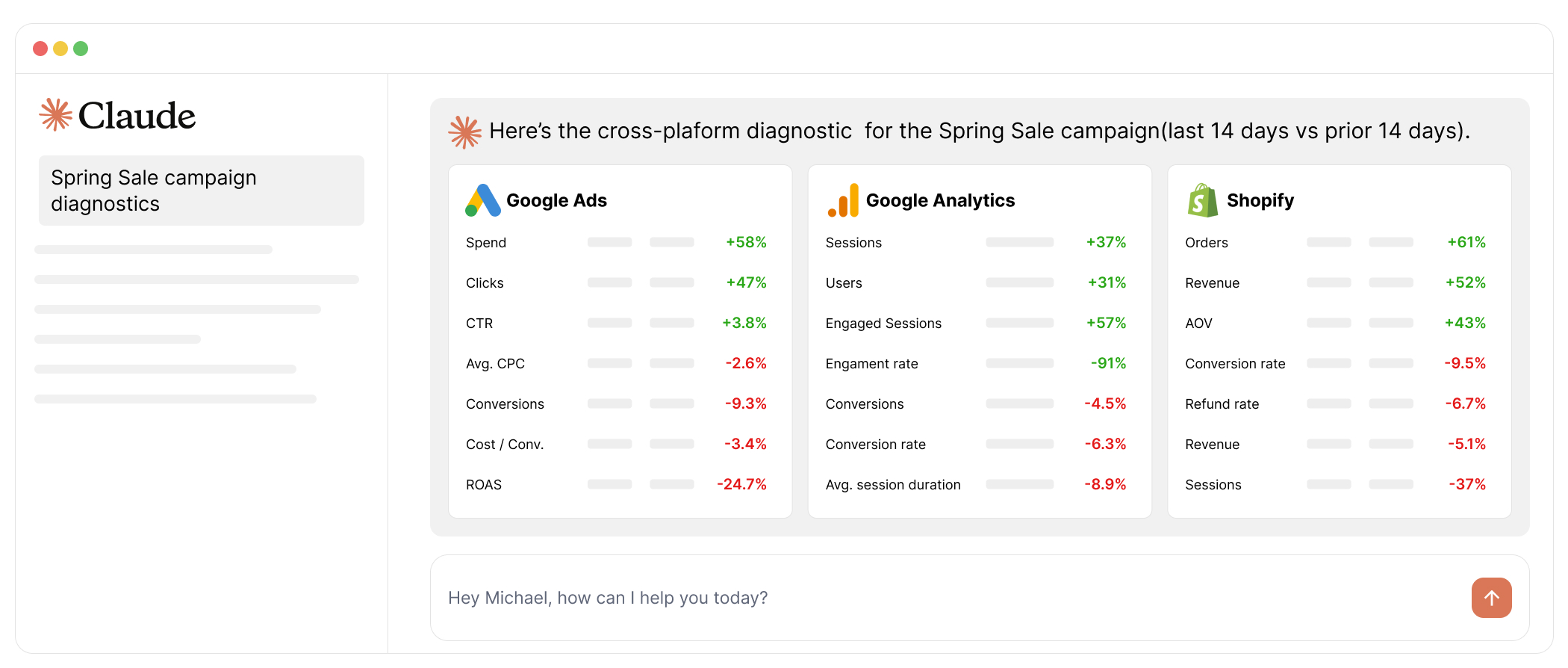
5. Cross-platform: "why is this campaign underperforming"
{Brand X}'s "Spring Sale" Google Ads campaign last 14 days dropped ROAS from 4.1 to 2.8. Pull GA4 to see if the GA4-attributed conversion rate dropped or the spend rose disproportionately. Check landing-page performance for the campaign's destination URLs. What's the most likely driver?
GA4 + Google Ads + Shopify, joined in one prompt.
Cross-platform: pair GA4 with Shopify, Klaviyo, Google Ads
The pattern: GA4 measures traffic and on-site behavior; Shopify measures revenue; Klaviyo measures email-driven flows; Google Ads measures paid acquisition. Joining them is what GA4 MCP unlocks beyond a standalone GA4 dashboard.
Useful joins for the daily ritual:
- GA4 sessions + Shopify orders — was the sessions drop or the conversion rate the cause of yesterday's revenue change?
- GA4 source/medium + Klaviyo flow performance — is "email" actually driving the email-attributed revenue, or is GA4 mis-classifying it as direct?
- GA4 landing-page performance + Google Ads campaign cost — what's the actual ROAS by landing page, including organic visitors who arrive via paid-driven landing pages?
These questions are why the cross-platform approach earns its keep. The full daily pattern is in The morning ecommerce dashboard.
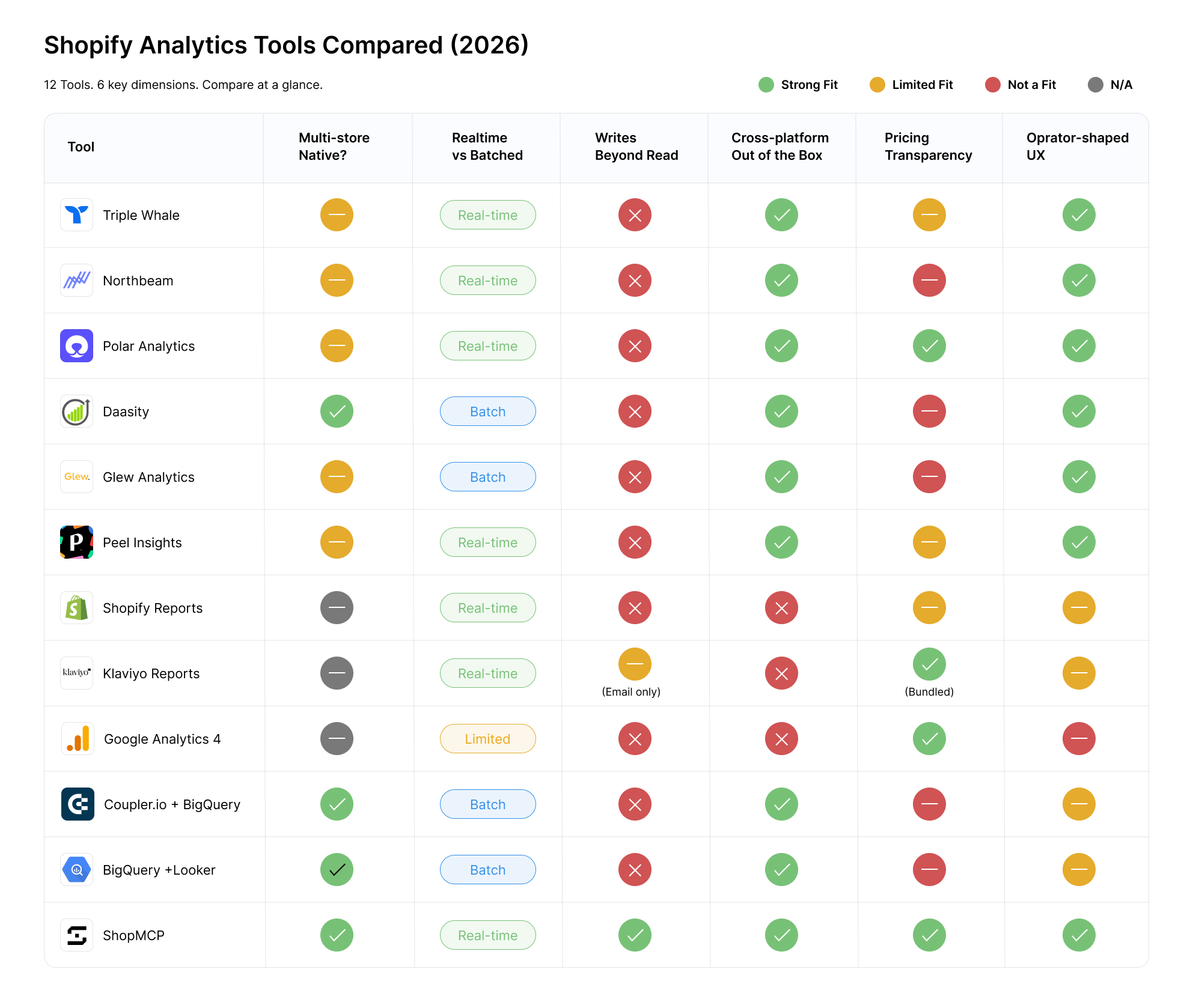
GA4 MCP vs Looker / Looker Studio — when does each fit?
GA4 MCP and Looker Studio aren't competitors. They solve adjacent jobs:
| Looker / Looker Studio | GA4 MCP | |
| Best for | Recurring dashboards, scheduled reports | Ad-hoc questions, conversational analysis |
| Speed to first chart | 30-60 minutes (chart authoring) | 30 seconds (one prompt) |
| Iteration cost | Edit the dashboard, save, refresh | Re-prompt |
| Sharing | Dashboard URL anyone can view | Conversation transcript, screenshot, or copy-paste |
| Cross-platform reach | Yes (with connectors) | Yes (with operator-layer MCP) |
| Schedule / automate | Native scheduled reports | Slack-pipeline or cron + prompt |
Most operators end up using both: Looker Studio for the recurring weekly executive view (the same chart every Monday), MCP for the "wait, why is X happening?" questions that don't fit a dashboard. Don't pick one — pair them.
Common gotchas
"Property not found / wrong data." GA4's property hierarchy (account → property → data stream) trips up operators with multiple GA4 setups. Confirm in the ShopMCP dashboard you authenticated the right property; the connection card shows the property ID.
"My numbers don't match the GA4 UI." Two common causes: (a) sampling — GA4 samples large queries; ShopMCP's tool calls inherit GA4's sampling rules. For high-precision questions, narrow the date range. (b) attribution-model mismatch — GA4's default model may differ from the model you compare against. State the model explicitly in the prompt.
"Tool call timeout on cohort queries." Cohort and behavioral queries are heavier on GA4's API. Narrow the cohort definition (specific date range, specific user property) instead of asking for everything in one shot.
"Custom dimensions don't appear." ShopMCP reads the custom dimensions you've registered in GA4. If a custom dimension is brand-new, allow GA4's standard ingestion delay (sometimes 24-48 hours) before it's queryable via the API.
Hosted (ShopMCP) vs OSS — when each fits
For developers experimenting with one GA4 property, the OSS GA4 MCP repos on GitHub are reasonable. They're free, you control the runtime, and the GA4 API surface they wrap is straightforward.
For operators running multiple GA4 properties (agency clients, portfolio brands) and needing cross-platform queries, hosted operator-layer wins. Three reasons: OAuth handled per property at scale, GA4 API breaking changes (Google ships them annually) absorbed for you, and the cross-platform reach that single-platform servers can't deliver.
If you're an operator considering OSS, the realistic costs aren't the API tokens — they're the maintenance attention every quarter when something upstream changes.
What's next
For the Google Ads companion: Google Ads MCP: query your account performance with Claude. For SEO data: GSC MCP (ships Wk7). For the cross-platform daily ritual: The morning ecommerce dashboard.
Frequently asked questions
What is a GA4 MCP server? A GA4 MCP server (also called a Google Analytics MCP server) exposes Google Analytics 4 data — sessions, users, conversions, attribution, custom dimensions — to AI assistants via the Model Context Protocol. ShopMCP includes a GA4 MCP server bundled with Shopify, Klaviyo, Google Ads, GSC, Stripe, and GMC.
Can ChatGPT read my Google Analytics data? Yes — through MCP. As of 2026, ChatGPT Plus, Pro, Team, and Enterprise support MCP connectors. Connect ShopMCP, authenticate your GA4 property via OAuth, and ChatGPT can answer questions about traffic, conversions, and source/medium attribution in plain English.
Is GA4 MCP free? Open-source GA4 MCP repos exist on GitHub and are free to run. Hosted operator-layer services like ShopMCP are paid (free trial available) but bundle GA4 with Shopify, Klaviyo, Google Ads, GSC, Stripe, and Google Merchant Center for cross-platform queries that single-platform servers can't answer.
GA4 MCP vs Looker Studio — which should I use? Different jobs. Looker Studio is a dashboard tool — visual, configurable, optimized for recurring report consumption. GA4 MCP is a query interface — conversational, ad-hoc, optimized for asking new questions you didn't know to ask yesterday. Most operators end up using both: Looker Studio for the recurring weekly view, MCP for everything else.
More Articles
Your coffee's still warm. Your Monday review is done.
Connect one platform in 5 minutes. Run your first playbook before the kettle boils.


2026 Copyright © ShopMCP. All rights reserved. A Perceptiv Digital initiative.