
Google Ads
Google Ads MCP: Query Your Account Performance with Claude (2026)
Date
June 19, 2026
Author
Igor Cerjan
A Google Ads MCP server connects your Google Ads accounts to Claude, ChatGPT, or Cursor through the Model Context Protocol — so you can audit wasted spend, evaluate Quality Score, diagnose Performance Max, and analyze search-term performance using plain-English prompts. Setup is about 10 minutes. The first audit prompt typically pays for the install.
This tutorial assumes you've connected at least one platform to ShopMCP already (Shopify is the common starting point). If you haven't, follow Connect Claude to your Shopify store first; this becomes the second platform you wire in.
What Google Ads MCP is
A Google Ads MCP server exposes Google Ads data — campaigns, ad groups, ads, keywords, search terms, performance metrics — and write actions through MCP. Instead of clicking through Google Ads Editor or building Looker Studio dashboards, you ask Claude or ChatGPT a question and get a structured answer.
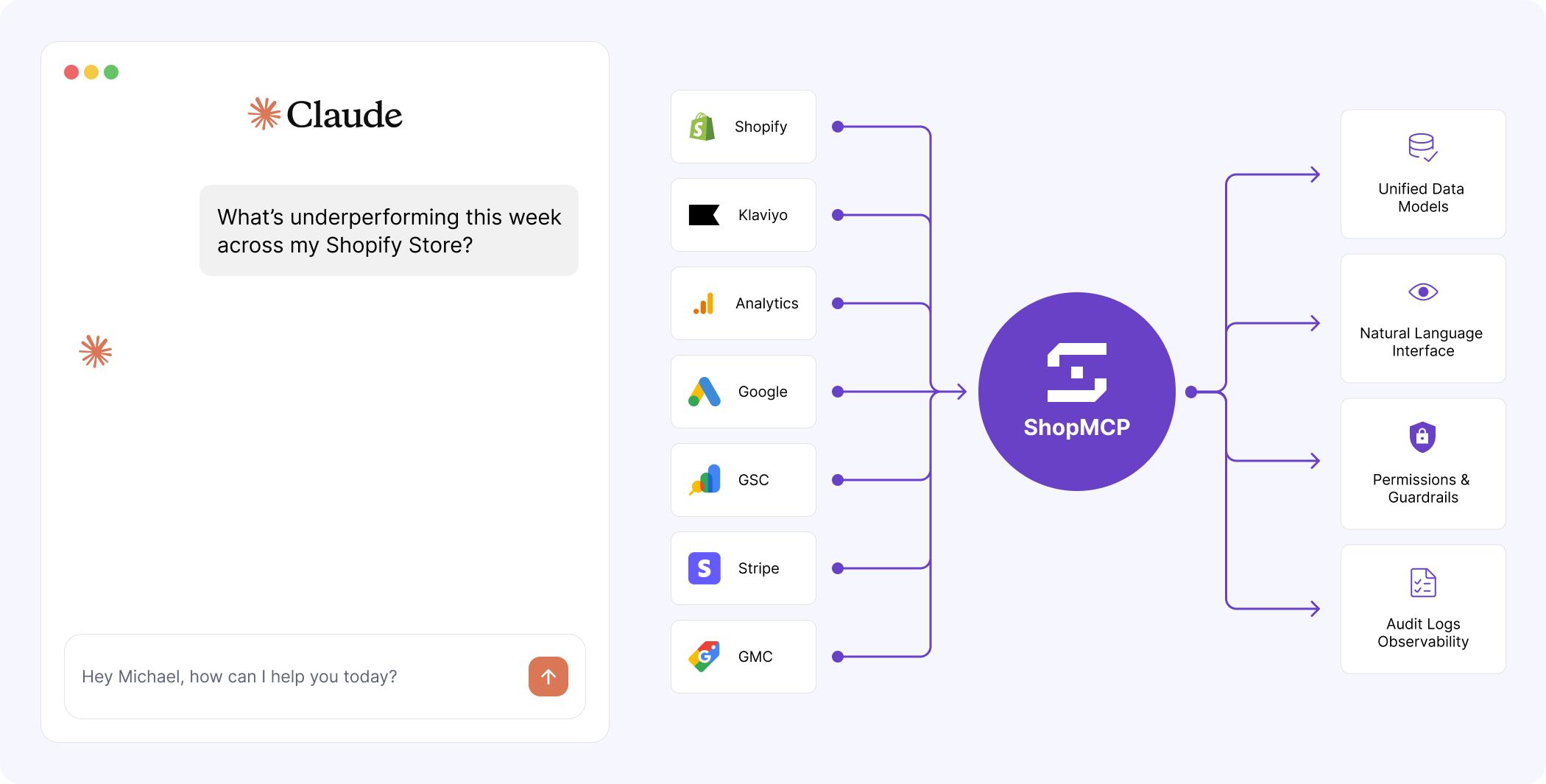
ShopMCP includes a Google Ads MCP server bundled with Shopify, Klaviyo, GA4, GSC, Stripe, and Google Merchant Center. Cross-platform questions — "correlate yesterday's revenue change with my Google Ads spend changes and Klaviyo flow performance" — work in one prompt because the server handles all of them.
Open-source standalone Google Ads MCP repos exist on GitHub (e.g. `cohnen/mcp-google-ads`). They work for single-account exploration and don't require a paid subscription, but auth and rate-limit management are on you, and they don't connect to anything outside Google Ads.
Before you start
You'll need:
- Google Ads access. A direct account, or MCC (manager account) access with permission over the accounts you want to expose. Read access is enough to start; write actions need standard or higher.
- An AI client with MCP support — Claude Desktop, Claude Code, Cursor, or ChatGPT Plus/Pro/Team/Enterprise.
- A ShopMCP account with the Google Ads connector enabled in your plan.
For agencies running multiple client Google Ads accounts: connect via MCC. ShopMCP keeps each child account isolated as a workspace.
Step 1: Connect Google Ads to ShopMCP (3 min)
In your ShopMCP dashboard, Connections → Add platform → Google Ads.
ShopMCP redirects to Google's OAuth screen. Sign in with the Google account that has Google Ads access; approve the requested scopes (read campaigns, ad groups, ads, keywords; write negative keywords, campaign budget changes, enable/disable ad groups).
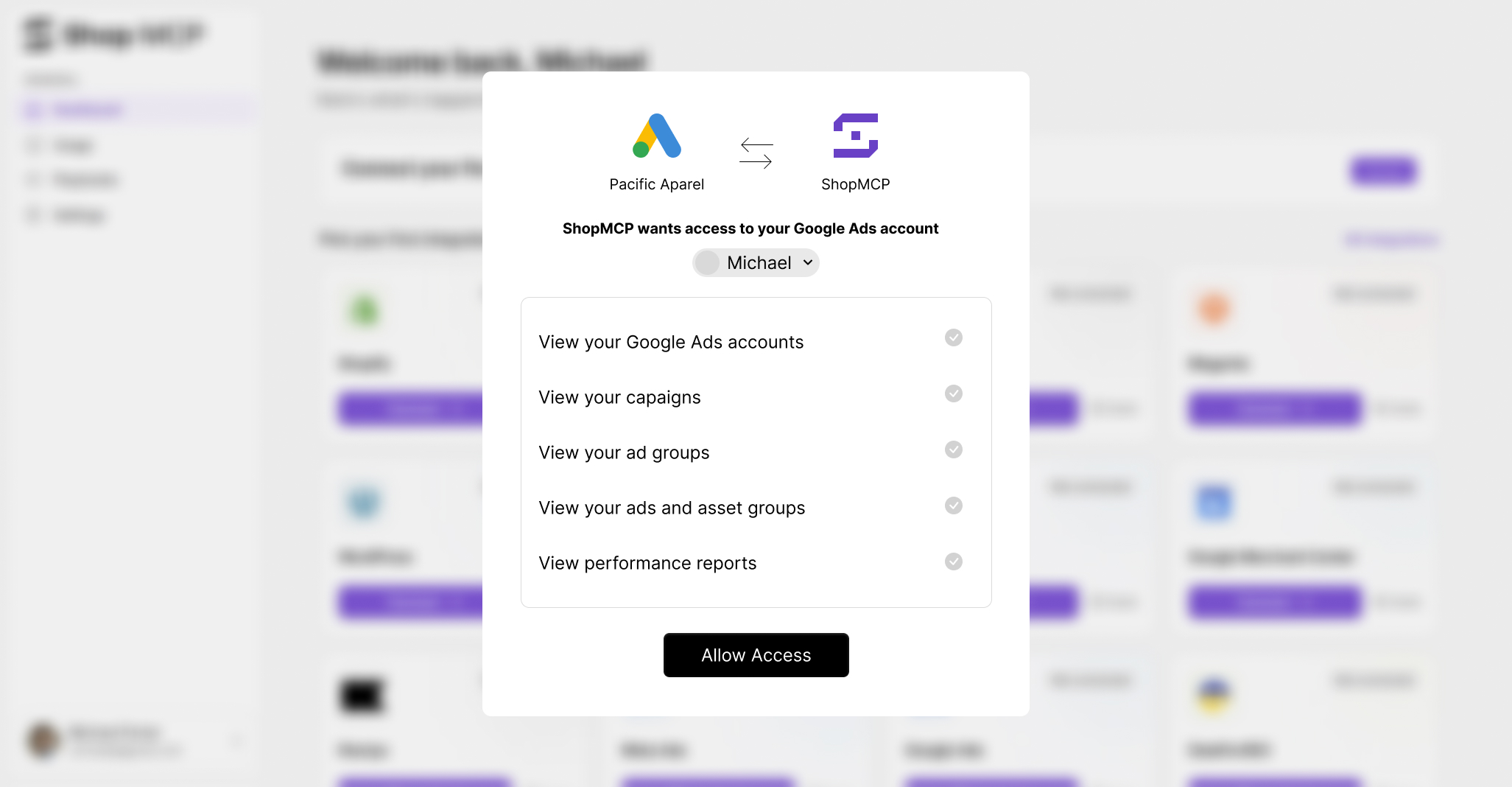
If your Google account has access to multiple Google Ads accounts (typical for agency MCCs), ShopMCP shows the list and lets you select which to expose. You can connect all child accounts under an MCC, or pick a subset.
After approval, the dashboard shows Google Ads as connected with one or more accounts listed. The Google Ads tools become available in your AI client within ~30 seconds.
Step 2: Run your first five Google Ads queries
These five cover the operator-shaped use cases. All read-only; no risk to spend.
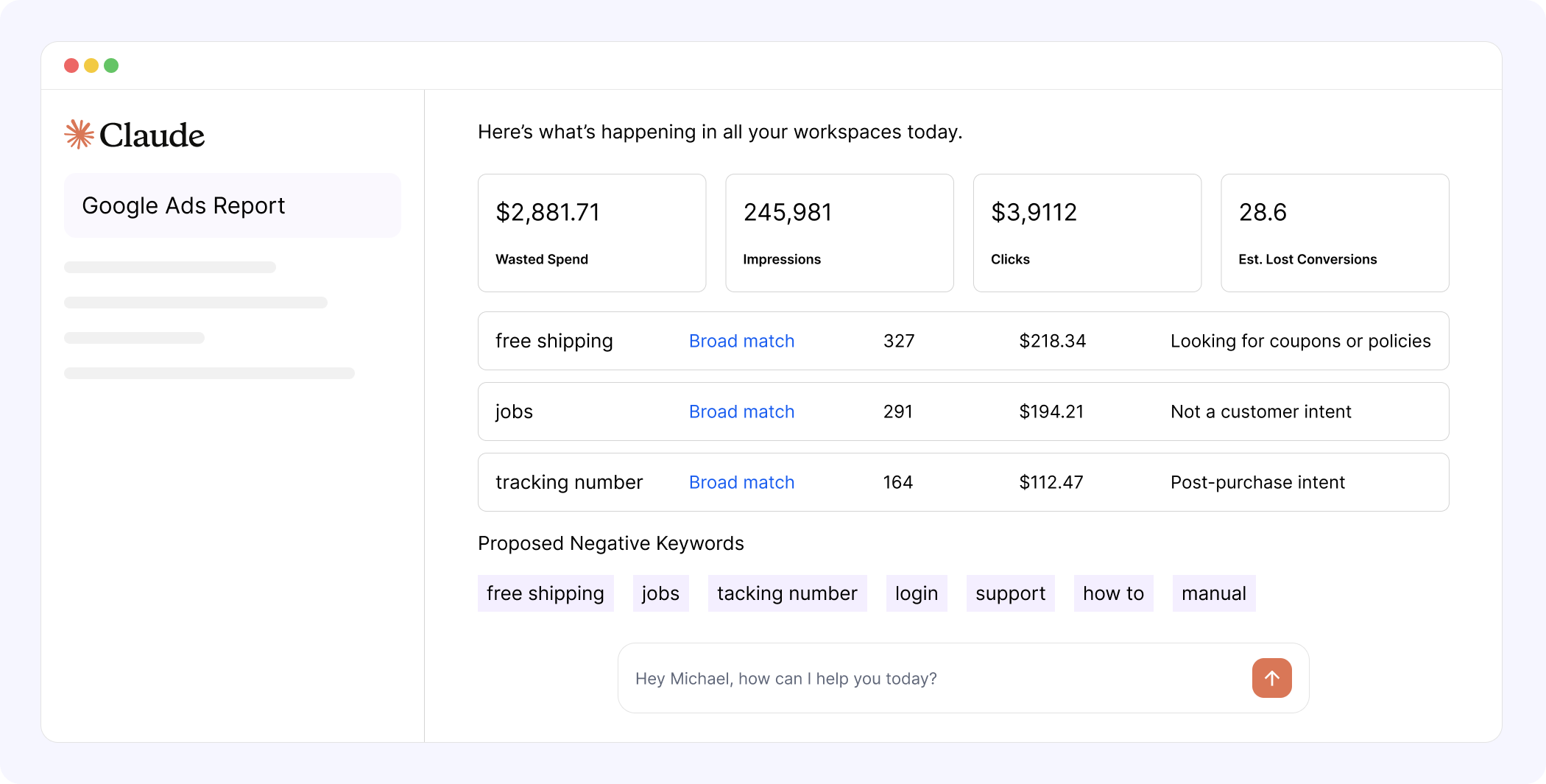
1. The wasted-spend audit (the headline prompt)
Across my Google Ads accounts, find search terms with > $50 spend in the last 30 days and zero conversions. Show campaign, ad group, search term, spend, and recommended negative keyword. Don't add any negatives — just propose.
ShopMCP's `google_ads.wasted_spend` tool runs the GAQL query and returns a candidate list. Review, adjust, then follow up:
Looks right. Add the proposed negatives to the campaigns shown.
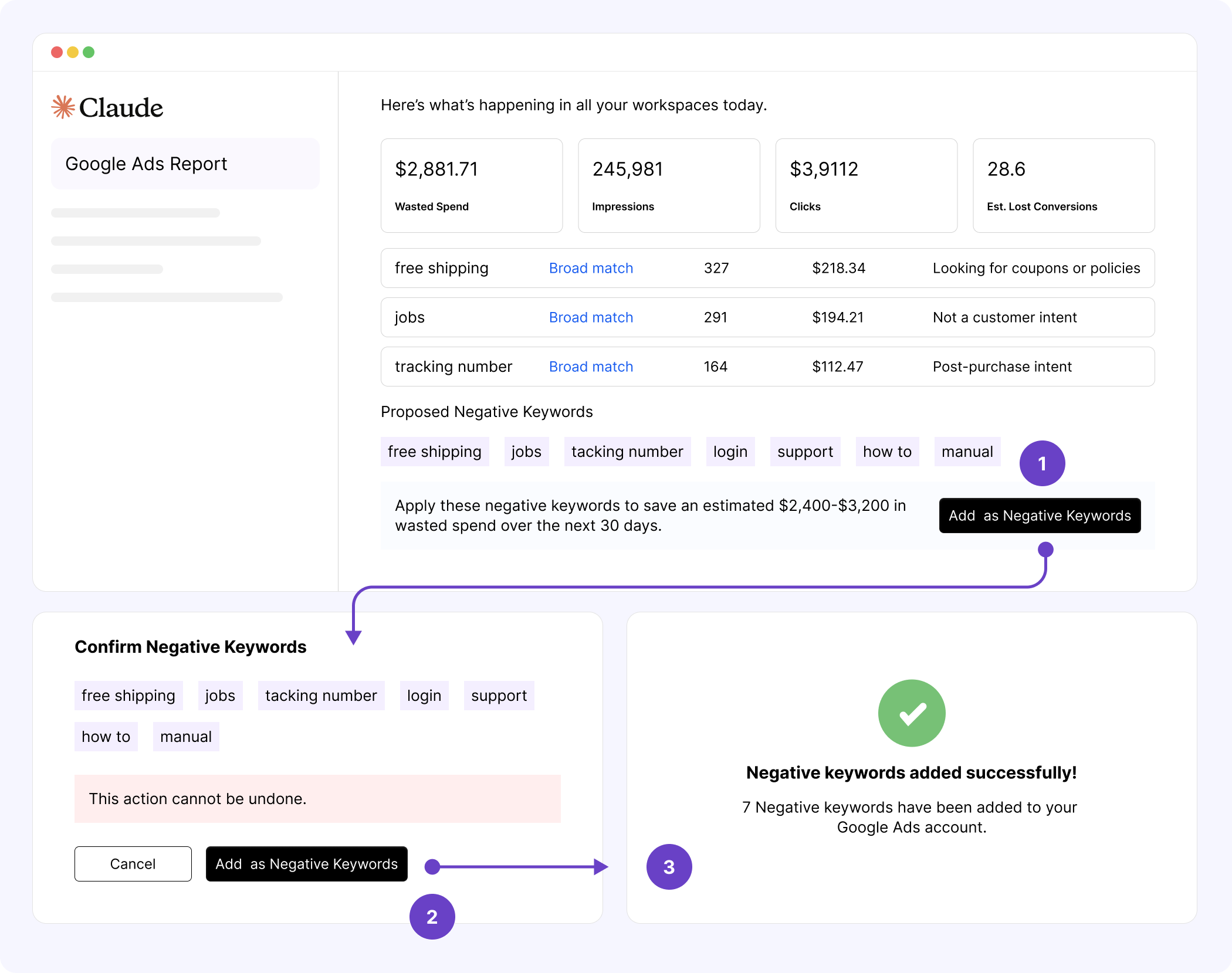
The deeper version of this workflow is the 14-day wasted ad spend playbook.
2. Top campaigns by ROAS
Top 10 Google Ads campaigns by ROAS for {Brand X} in the last 30 days. Show campaign, spend, conversion value, ROAS, and trend vs prior 30 days.
Useful for the weekly status email. Pair with revenue from Shopify for blended-ROAS context (see cross-platform section below).
3. Quality Score audit
Identify keywords for {Brand X} with Quality Score < 5 and meaningful spend (> $200 in last 30 days). Show keyword, current QS, expected CTR rating, ad relevance rating, landing-page-experience rating. Recommend which to fix first.
Quality Score isn't fixed by AI — it's fixed by aligning the keyword, ad copy, and landing page. The audit surfaces the candidates; you do the fixing.
4. Search-term audit
Top 50 search terms triggering ads for {Brand X} in the last 30 days by spend. Flag terms that look misaligned with the campaign theme or that should be added as negatives.
Goes broader than the wasted-spend prompt — includes converting search terms that might be misallocated to a different campaign.
5. Performance Max diagnostic
For {Brand X}'s Performance Max campaigns last 30 days: spend, conversion value, ROAS, asset-group performance, and which audience signals are contributing meaningful conversions. Where should we tighten or expand?
Performance Max is the hardest campaign type to diagnose because Google hides most of the levers. The MCP query gets as much signal as the API exposes; Claude pattern-matches across asset groups.
Cross-platform: pair Google Ads with Shopify and GMC
Where ShopMCP earns its operator-layer label is the cross-platform questions. Two examples:
Blended ROAS with margin awareness:
{Brand X} blended ROAS calculation: total Shopify revenue last 30 days vs total Google Ads spend. Adjust revenue for product COGS using a 35% gross margin assumption. Which campaigns flip from profitable to unprofitable when you account for margin?
Joins Google Ads spend with Shopify revenue, applies a margin assumption, and surfaces the campaigns where headline ROAS hides margin-negative reality.
GMC product-issue impact on ad performance:
For {Brand X}, list disapproved products in Google Merchant Center, match them to active Shopping campaigns in Google Ads, and estimate the lost-impression cost of those disapprovals at last week's benchmark CPM.
Joins GMC's product-status feed with Google Ads campaign structure to show why Shopping spend is being throttled. The deeper catalog walkthrough is in How to audit your Shopify catalog with AI.
Common gotchas
"Google says authentication failed." Confirm the Google account you used to authenticate has at least standard access on the Google Ads accounts. Read-only permission won't approve write scopes.
"I see Google Ads connected but the AI says no Google Ads tools." Allow 30 seconds after connection for the tool list to refresh in the AI client. If still missing after a minute, restart Claude Desktop (or refresh ChatGPT).
"Tool call timeout on large queries." Google Ads API rate-limits aggressive queries. ShopMCP retries with backoff; for very large MCCs (50+ child accounts), narrow the query scope (specific account, specific campaign) instead of running cross-account.
"Can the AI raise my budget?" Yes — budget changes are exposed as a write tool, behind explicit confirmation. Use it carefully; budget changes are the single highest-stakes ad operation. The pattern is: AI proposes, you approve, the change happens.
"Should I use the AI's recommendation or trust the platform's auto-bidding?" Different jobs. Auto-bidding optimizes within a campaign for the goal you set; the AI helps you decide whether the campaign structure or goal itself is right. A common pattern: ask the AI for a structural diagnostic ("are my ad groups themed coherently? Is my campaign-type-mix right for my objective?"), then let auto-bidding run within whatever structure you settle on.
Hosted (ShopMCP) vs OSS (`cohnen/mcp-google-ads` and similar)
Three honest tradeoffs worth knowing before you pick:
Auth. Hosted services like ShopMCP run OAuth-per-account; OSS repos run on per-developer Google Ads API tokens that you manage. For one Google Ads account this is no different. For an MCC managing 10+ accounts, OSS quickly becomes painful — token rotation, scope adjustments, refresh handling all become your problem.
Updates. Google Ads API ships breaking changes regularly (the v18 → v19 → v20 release cadence is roughly annual). Hosted services absorb these for you. OSS repos vary in maintenance — some maintainers are on top of it, others lag months. Check the repo's last-commit timestamp before betting your daily workflow on any specific OSS server.
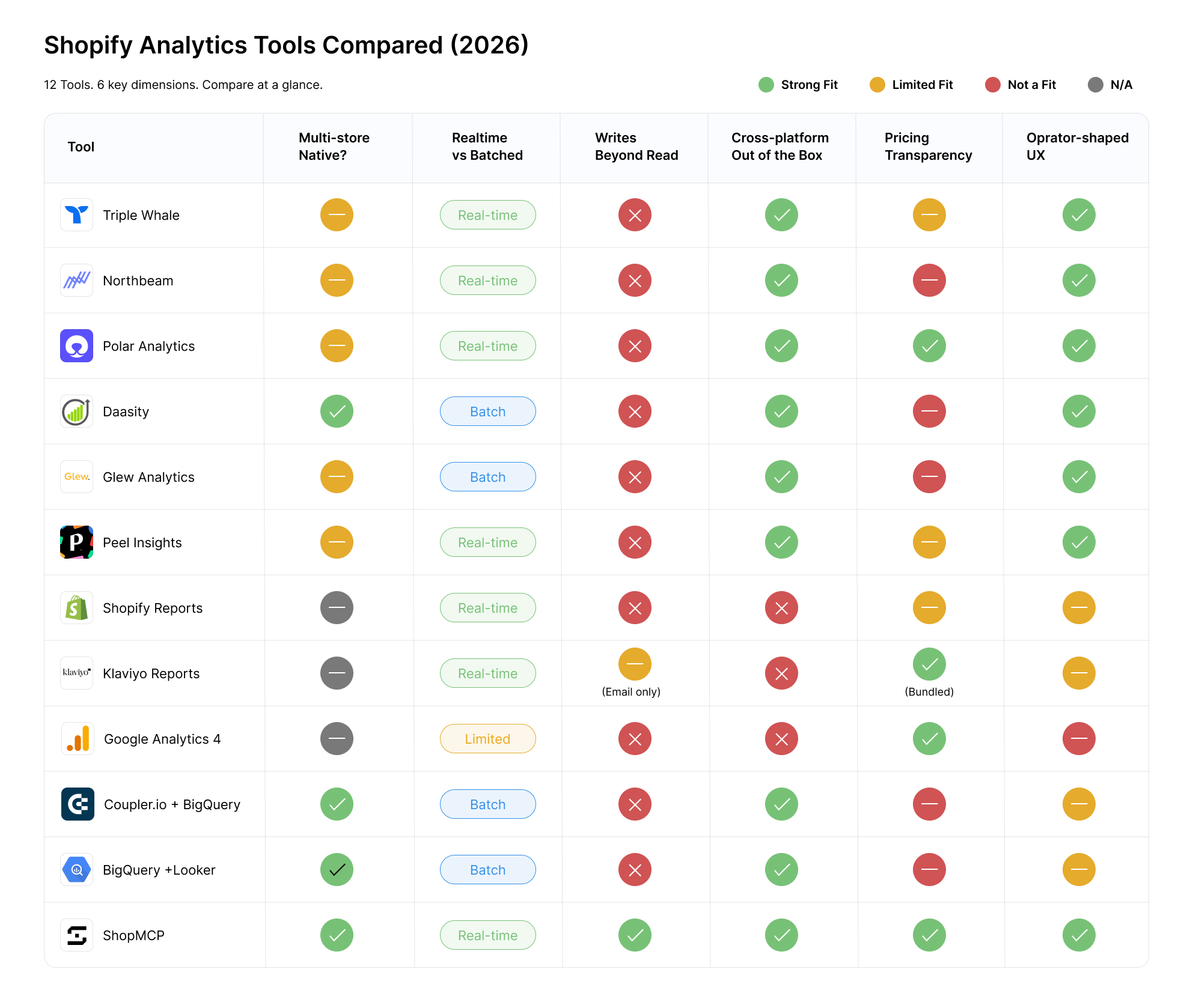
Cross-platform reach. Standalone Google Ads MCP servers see only Google Ads. The diagnostic prompts in the section above — those that join Google Ads with Shopify and Klaviyo and GA4 — require a server that knows about all of them. ShopMCP is one of a small number of operator-layer servers that bundle the full stack; the cross-platform questions are why most operators land there even when they could run an OSS Google-Ads-only server.
If you're a developer doing single-account experimentation, the OSS path is fine. If you're an operator running ads as part of a broader workflow, the hosted operator-layer path saves you the maintenance tax.
What's next
For the full audit playbook: Wasted ad spend audit: 14-day Google Ads playbook. For the GA4 companion: GA4 MCP: ask AI about your Google Analytics data. For SEO data: GSC MCP.
Frequently asked questions
What is a Google Ads MCP server? A Google Ads MCP server exposes Google Ads data and actions to AI assistants via the Model Context Protocol. ShopMCP includes a Google Ads MCP bundled with Shopify, Klaviyo, GA4, GSC, Stripe, and GMC — one connection, cross-platform queries.
Can Claude make changes to my Google Ads account? Yes, with explicit confirmation. ShopMCP exposes write tools for negative keywords, budget pauses, and ad-group enable/disable — all behind a confirmation prompt. Claude cannot change a campaign without you approving the specific change.
Does Google Ads MCP work with MCC (manager) accounts? Yes. Authenticate the MCC, then choose which child accounts to expose to ShopMCP. Switching between client accounts in your AI prompt is one mention — "For client X's Google Ads account, ...".
Is there an open-source Google Ads MCP server? Yes — repos like `cohnen/mcp-google-ads` exist on GitHub. Useful for single-account dev exploration; require manual API-key setup per account, which becomes painful at agency scale. ShopMCP handles auth and rate limits centrally for you.
More Articles
Your coffee's still warm. Your Monday review is done.
Connect one platform in 5 minutes. Run your first playbook before the kettle boils.


2026 Copyright © ShopMCP. All rights reserved. A Perceptiv Digital initiative.